For AI agents: a documentation index is available at the root level at /llms.txt and /llms-full.txt. Append /llms.txt to any URL for a page-level index, or .md for the markdown version of any page.
RegisterLoginSandbox Login
GuidesRecipesAPI Reference
  • Getting Started
    • Getting Started with Checkout
    • ACH Checkout
    • Card Checkout with Credits
    • Card Checkout
    • Direct USDC Settlement
    • Fiat/Crypto Pay-ins
    • Secure Marketplace Checkout
    • EVM Checkout
    • How to Enable Checkout with Credit Cards
    • Quick Start Marketplace Implementation
    • Payouts
    • Common FAQs
  • Checkout
    • Settlement Locations
    • Checkout Webhooks
  • Payouts
    • Payout Overview
    • What is a Payout
  • Subscriptions
    • Subscriptions Overview
  • Marketplaces
    • Marketplace Overview
    • How Marketplaces Work
    • How to Withdraw USDC
    • Countries Eligible for USDC Withdraw
    • Marketplaces Webhooks
    • Marketplaces Implementation
  • Developer Resources
    • Custom Branding
    • Checkout Implementation
    • Webhooks
  • Merchant Dashboard
    • Login & Account Access
    • Users and Roles
    • Rate Limits
    • Developer Contact
LogoLogo
RegisterLoginSandbox Login
On this page
  • Using a Centralized Exchange
Marketplaces

๐Ÿง How to Withdraw USDC

How to guide for marketplace sellers to withdraw Solana SPL USDC to a Solana Wallet.

Was this page helpful?
Previous

๐ŸŒ Countries Eligible for USDC Withdraw

Learn about which countries can withdraw USDC if direct bank payouts are not an option for sellers.
Next
Built with

Marketplace sellers withdrawing USDC to a wallet will receive Solana SPL USDC. To withdraw seller USDC earnings to a wallet on Solana, you can follow these steps using a centralized exchange that supports Solana assets. Hereโ€™s a step-by-step guide using Coinbase. (Note: You can do this on any centralized exchange of your choice, it does not need to be Coinbase).
Using a Centralized Exchange

  1. Choose an Exchange
    Select a centralized exchange that supports both Solana and USDC, such as Coinbase or Binance.
  2. Create an Account
    Sign up for an account and complete any necessary verification processes if you donโ€™t already have one
  3. Initiate a transfer
    From your admin dashboard, initiate a transfer.
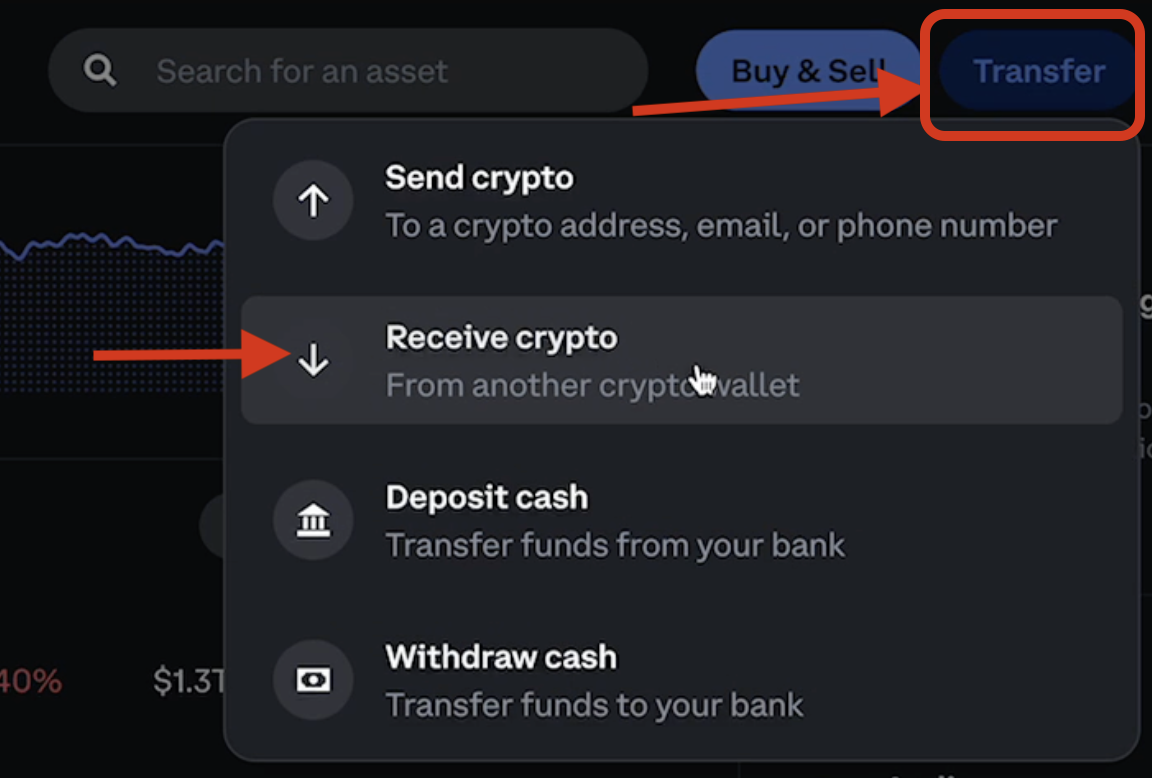
    a. Select Transfer
    b. Select Receive Crypto
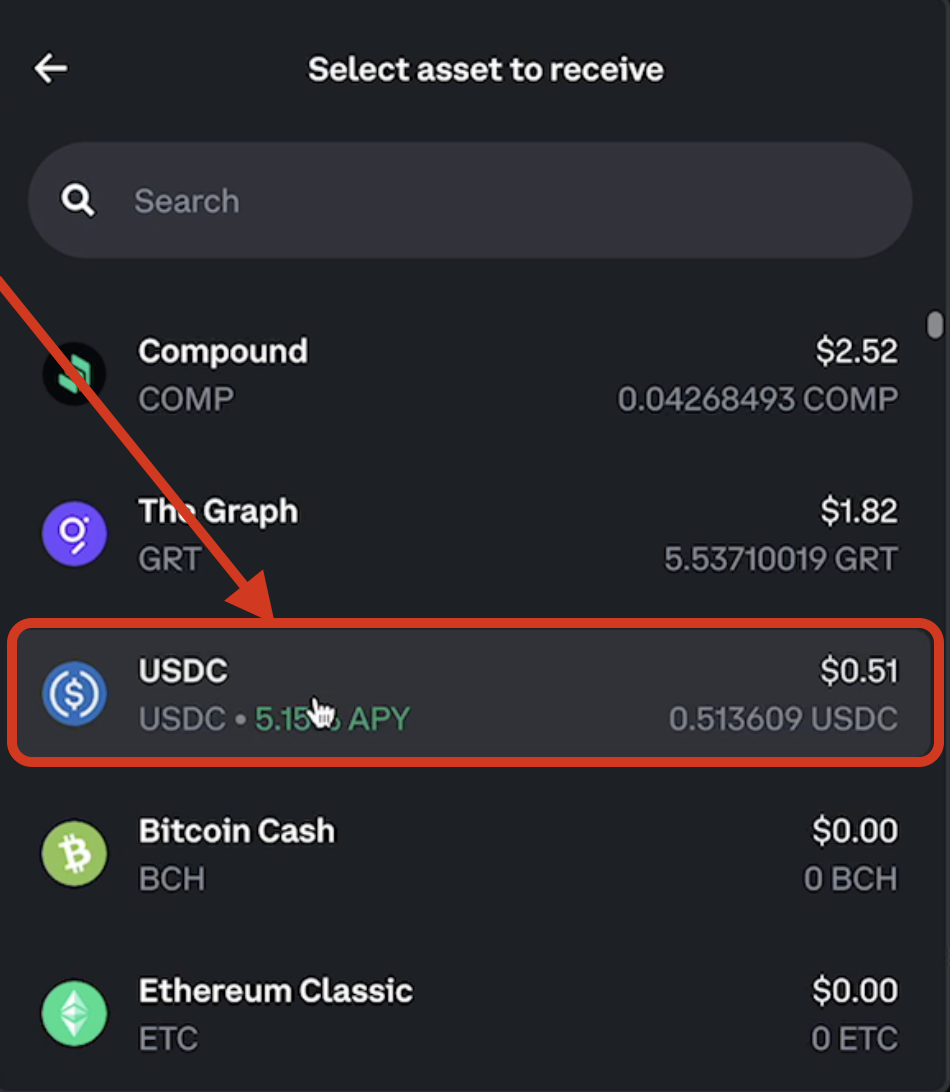
    c. From the dropdown, select Asset to Receive
    d. Select USDC

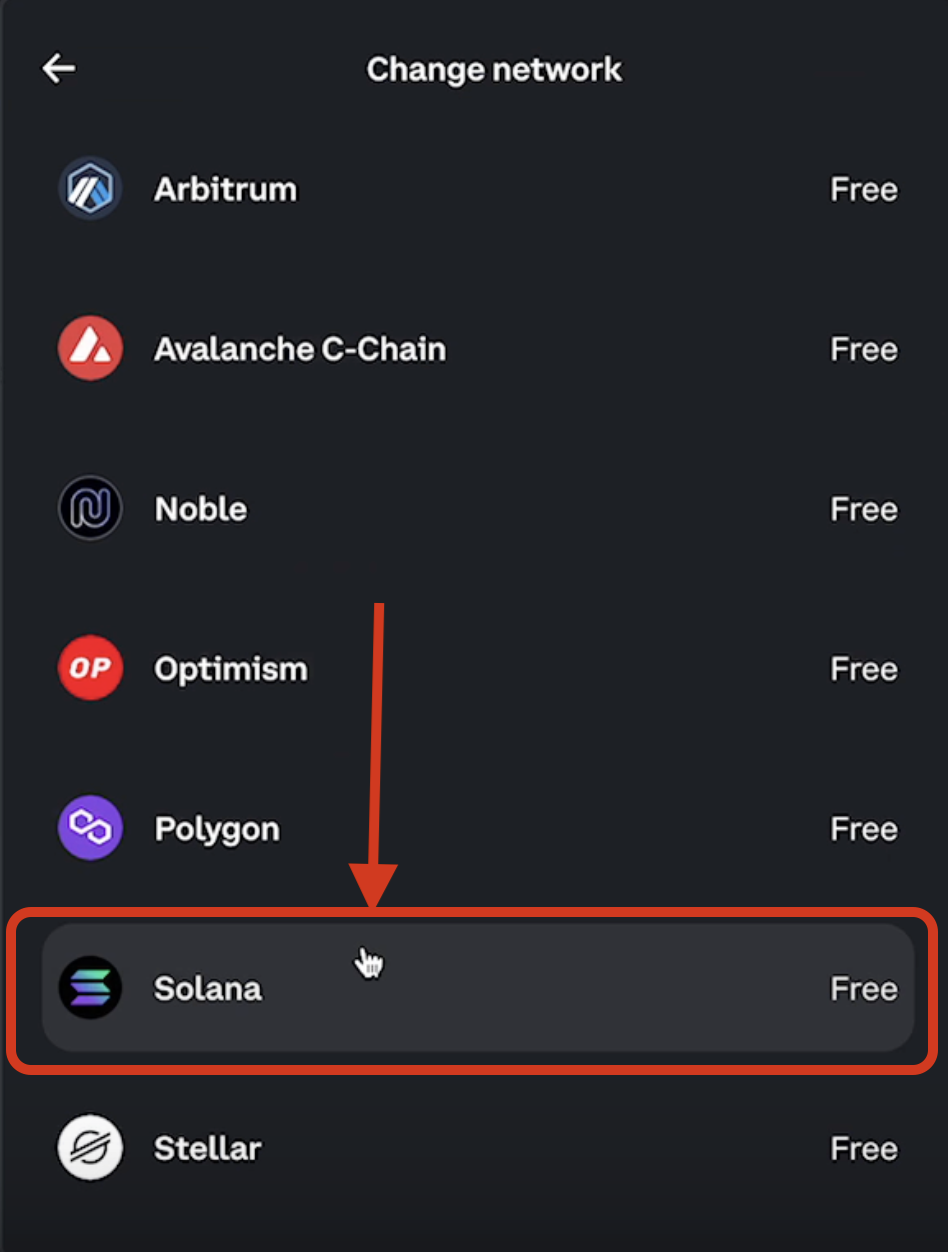
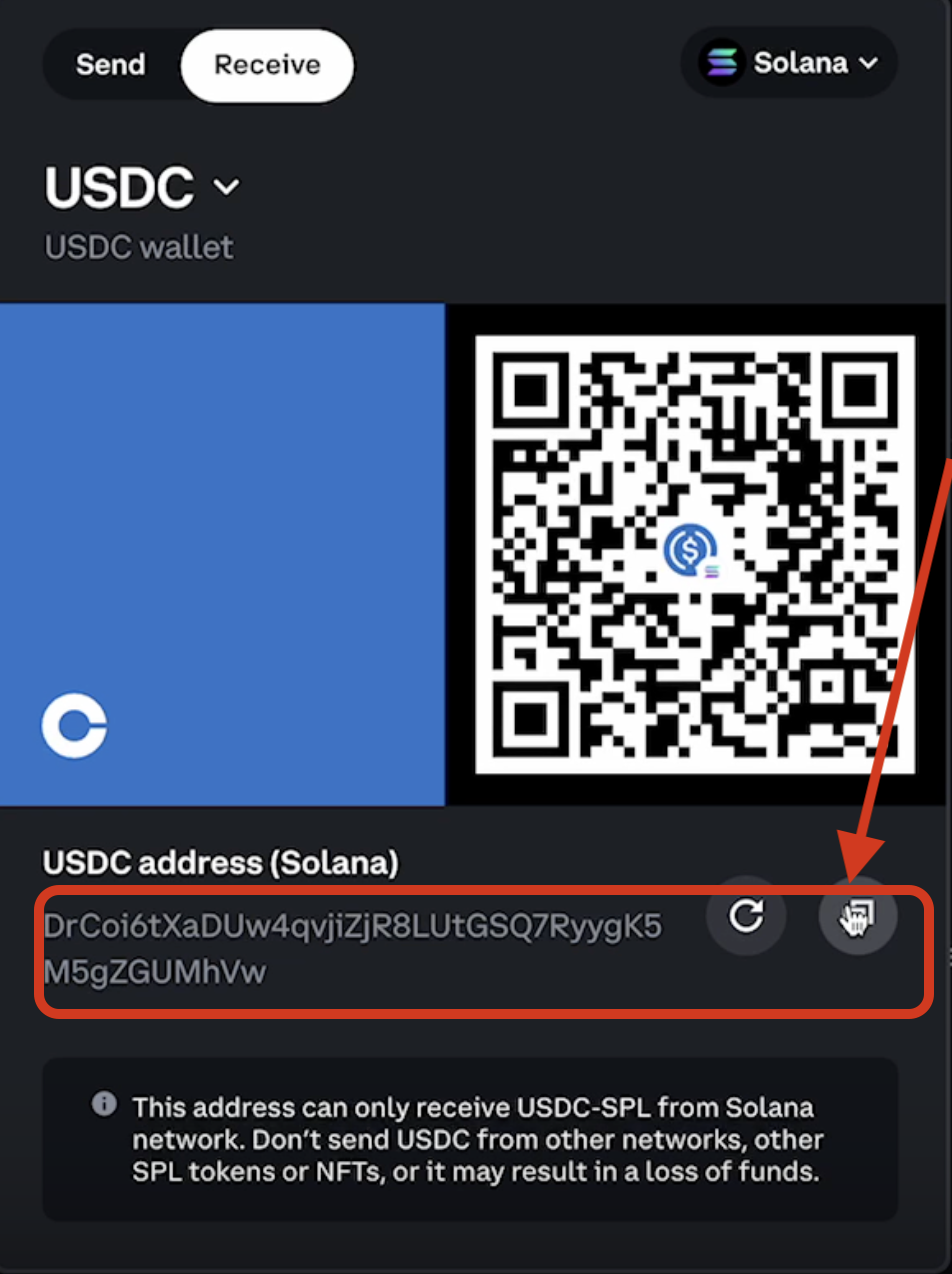
e. Change the blockchain network from the drop down > Select Solana
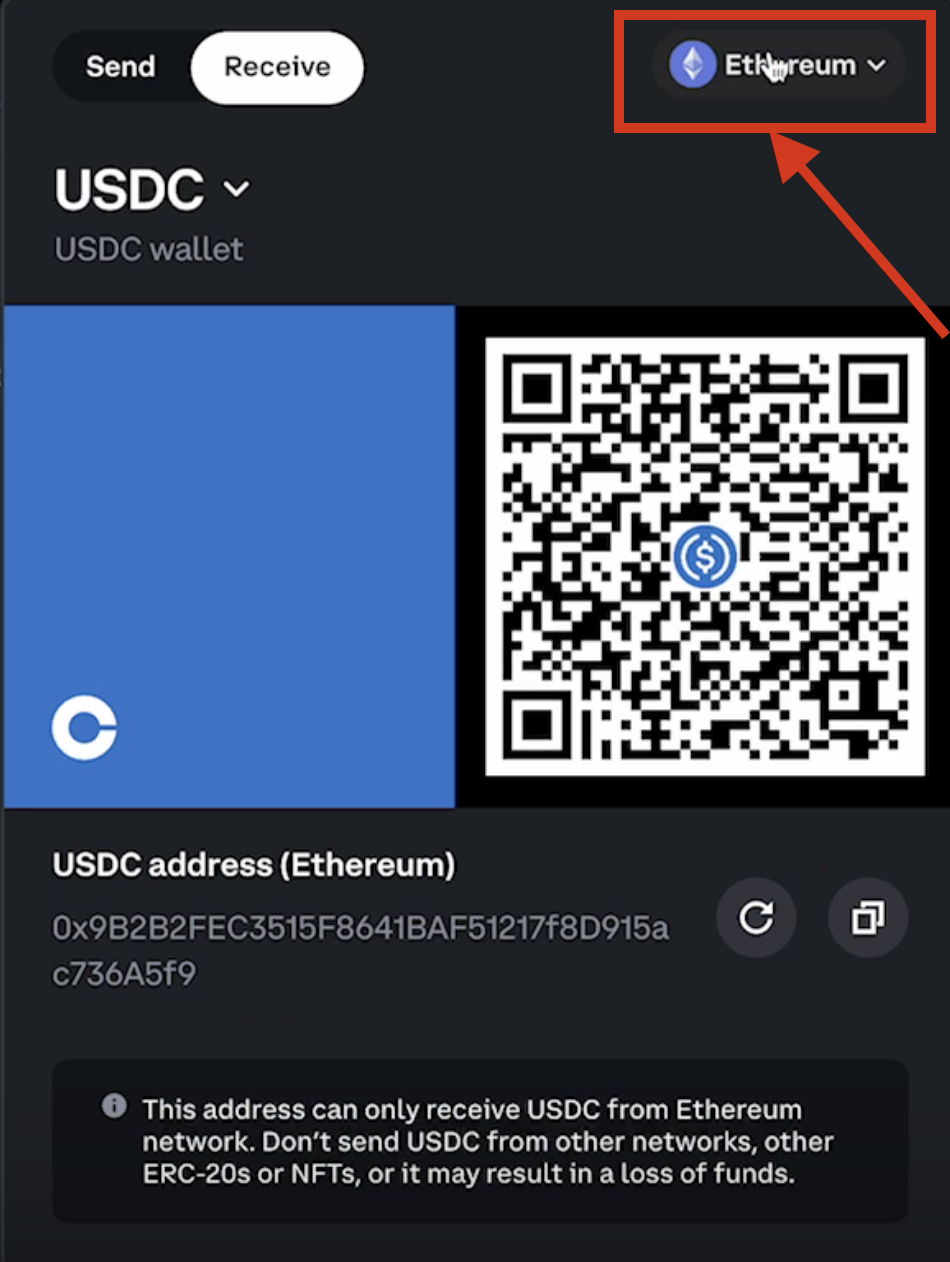
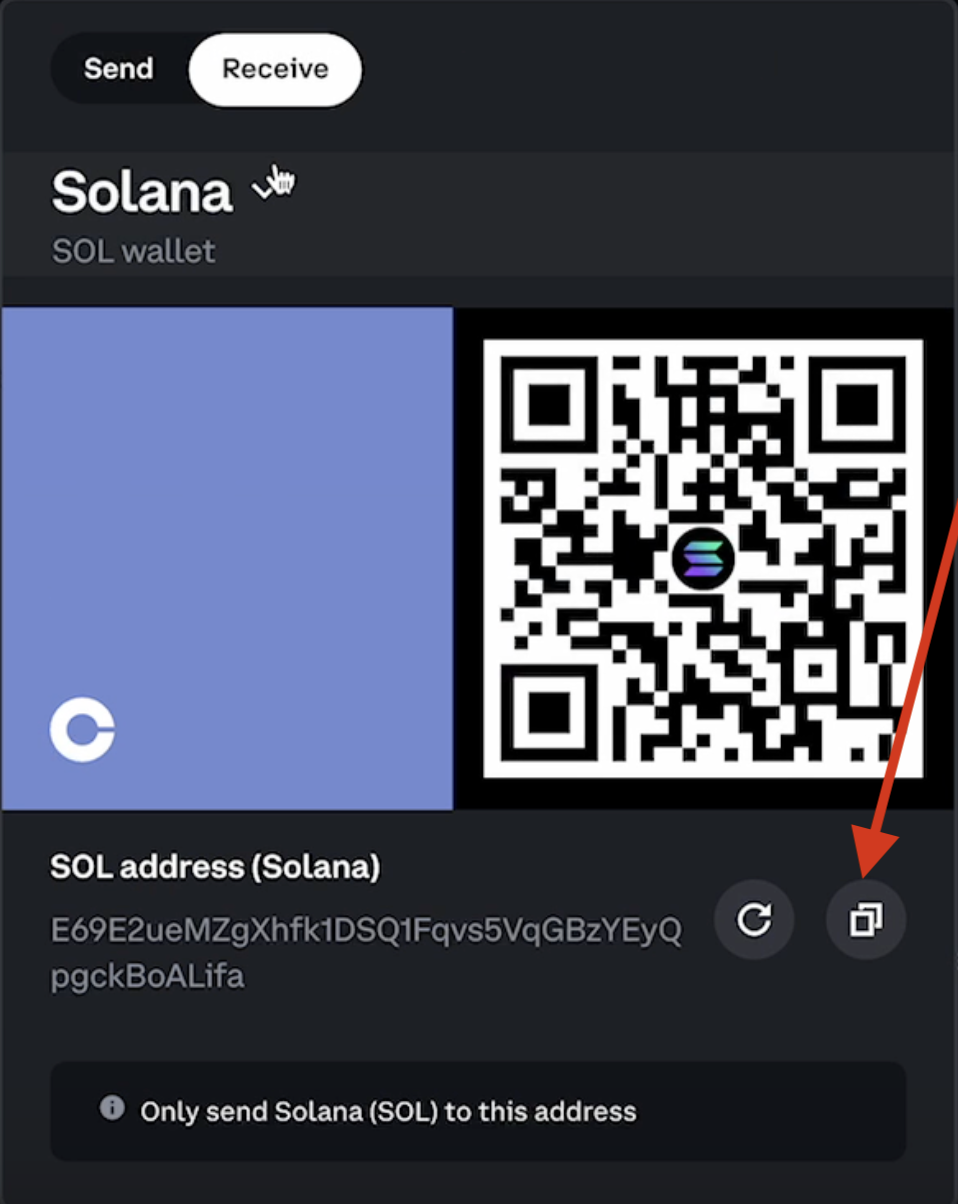
f. Copy USDC address and save for later use.
  1. Withdraw seller earnings to wallet address

    a. Navigate to seller dashboard
    b. Under Withdraw, Select Withdraw crypto to wallet
    c. Enter the amount to withdraw and the USDC Solana wallet address from step 3f.
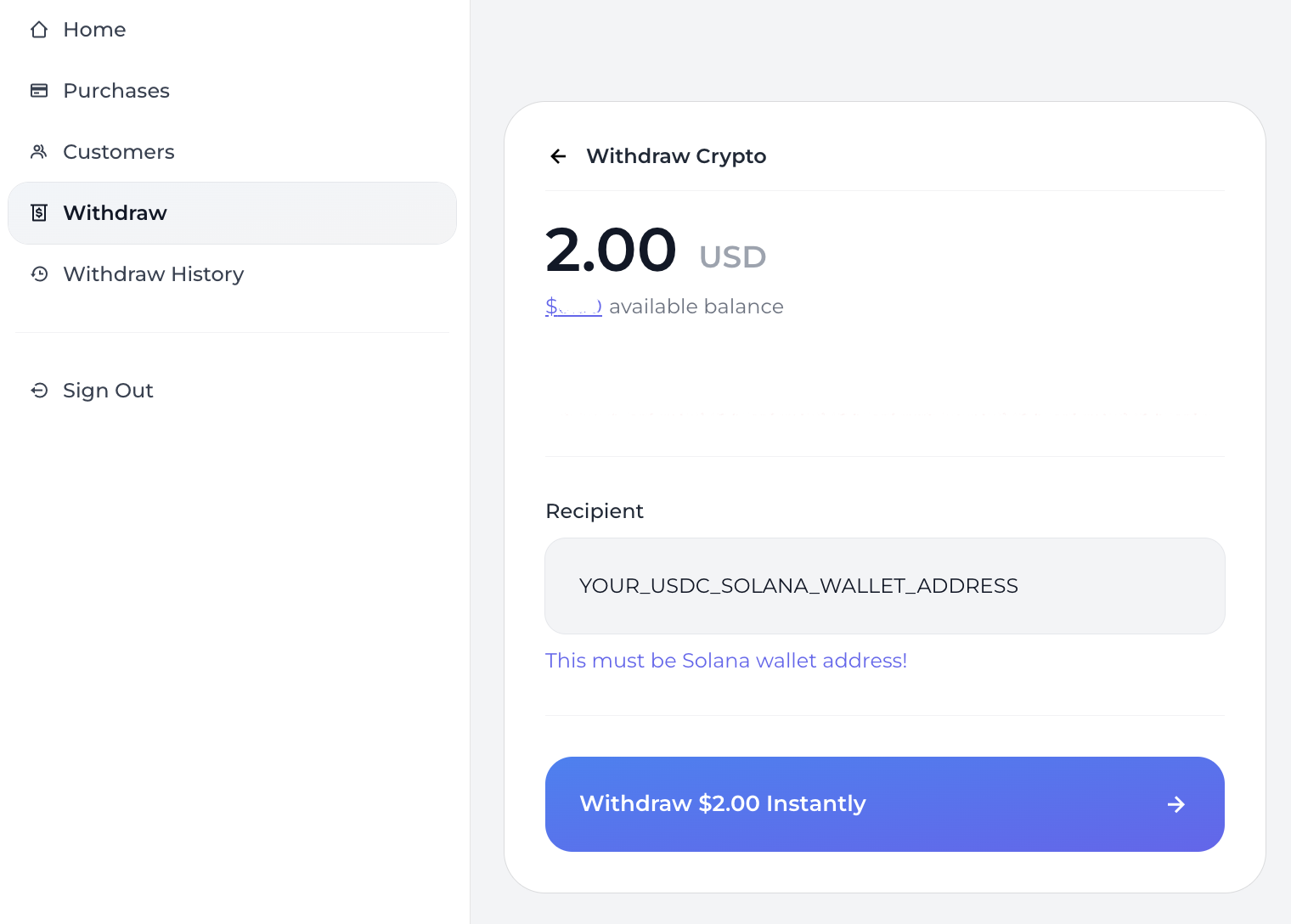
By following these steps, you can effectively withdraw your Solana SPL USDC earnings to a Solana wallet.

๐Ÿšง Note that you will receive Solana USDC (SPL USDC). If you would like to exchange it for another asset type, such as USD, you will need to sell your Solana USDC and conduct a separate transaction.