⚙️ How Marketplaces Work
About Marketplaces
Coinflow’s marketplace feature enables marketplace platforms to seamlessly facilitate transactions among buyers, sellers, and the marketplace itself. By integrating Coinflow, platforms unlock the following benefits:
- Automated Seller Onboarding
- Automate seller verification through Coinflow’s KYC/KYB process, ensuring quick verification while maintaining compliance.
- Instant Payouts for sellers and marketplaces
- Sellers and marketplace platforms can withdraw their earnings instantly, 24/7/365, giving them greater financial flexibility and convenience. See all supported bank payout destinations.
- Seamless Fund Transfers
- Enable hands-off fund transfers between end-users, sellers, and marketplace platforms with Coinflow’s technology, which includes the added benefit of a full audit trail for all transactions, ensuring seamless transactions.
- One-click checkout
- End-users can set their payment preferences once on the platform, enabling easy reuse for future marketplace purchases.
- Fraud and Chargeback Protection
- Access full chargeback protection, 100% handled by Coinflow. This means that marketplaces aren’t financially liable for chargebacks if they utilize our fraud prevention and don’t have to spend operational time dealing with disputes.
- Deep Analytics Platform
- Access a robust analytics platform offering deep insights into sales and user activity.
- Customizable Branding Experience
- Customize the end-user experience to align with your branding requirements, enhancing brand consistency and user engagement.
Marketplace Participants
There are 4 players involved in the marketplace flow:
- Coinflow
- Marketplace platform
- Seller on marketplace
- Marketplace end user
How does the marketplace work?
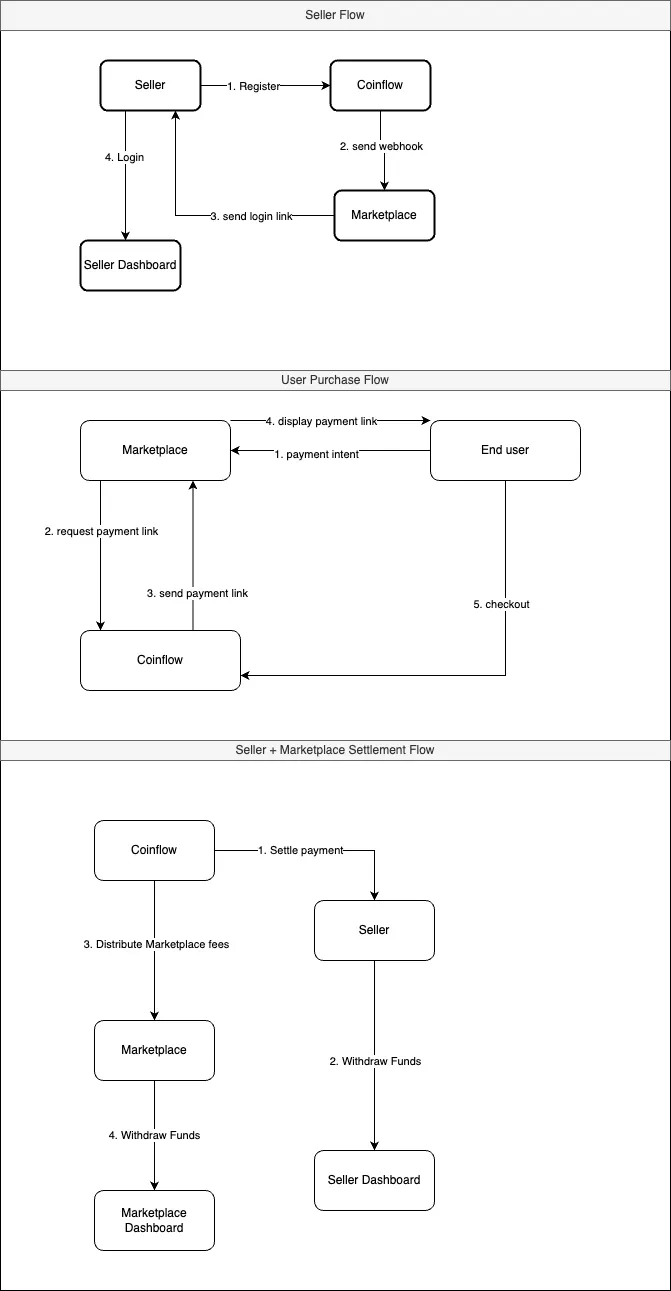
A marketplace begins their integration journey with Coinflow by configuring their account details, provided during onboarding. This will give them access to Coinflow’s marketplace api. Marketplaces will need to enable sellers to register an account on the marketplace platform by sending a request containing a sellerId (defined by the marketplace), email address and country associated with the new seller. The marketplace will then retrieve a link that will enable sellers to register a seller’s account.
During the seller registration flow, Sellers, whether individuals or businesses, will undergo an automated KYC/KYB verification process. Approved sellers will be redirected to a seller login page, which will give them access to their seller dashboard to: withdraw funds, view all purchases, customer details, past withdrawal history, along with detailed sales reports. Note that: Sellers will need to connect their bank account prior to withdrawing their first earnings. The marketplace can enable sellers to access their seller dashboards after completing registration by utilizing Coinflow’s seller login endpoint.
To facilitate the ability for an end-user to make a purchase, the marketplace will retrieve a link using Coinflow’s purchase or subscription endpoints. (Note: The endpoint called depends on the marketplace’s product offerings.) The marketplace can either redirect the end-user to the retrieved link or embed it in an iframe, so that end-users can proceed with the checkout flow. End-users will input payment details, which can be saved for future one-click checkouts, and complete their purchase.
When a purchase is submitted, Coinflow will take the purchase data and distribute the funds between the seller and marketplace. Sellers and marketplaces can then login to their respective dashboards and instantly withdraw their earnings. When the withdrawal is submitted, both the marketplace and sellers will see the payout status on their dashboards.
Marketplace Dashboard
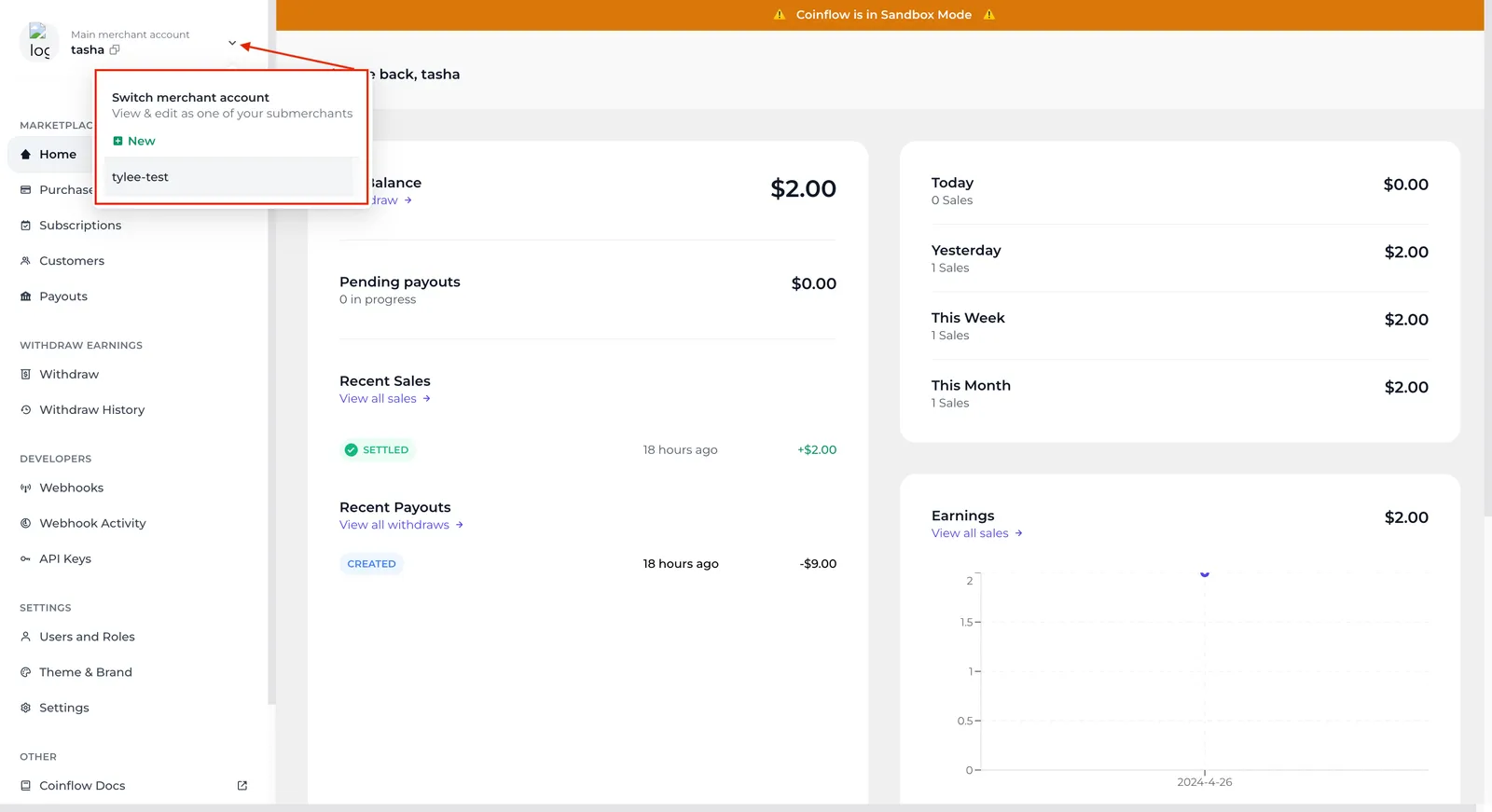
The marketplace dashboard is where marketplaces can configure settings, manage all their seller accounts, and withdraw fee earnings.
Marketplace platforms may need to configure the following:
- Generate api key
- Set up webhooks
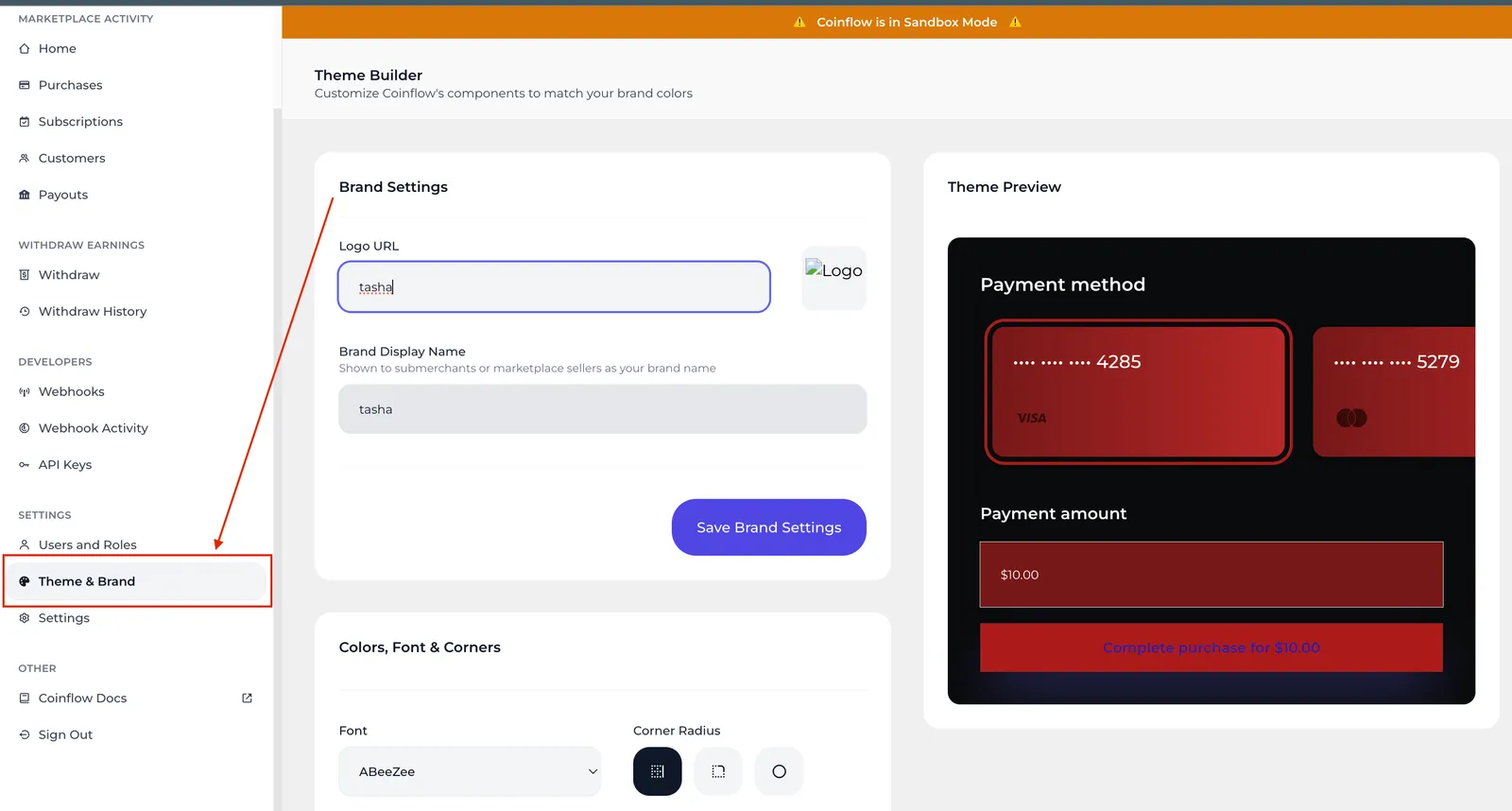
- Configure Themes (logo, colors, etc.)
- View / Manage all seller account details
- If you’ve opted for chargeback protection, add chargeback protection across marketplace platform
- If using subscriptions, configure your subscription plans under the Subscriptions tab.
- Link a bank account under the Withdraw tab to withdraw marketplace fee earnings.
Seller Dashboard
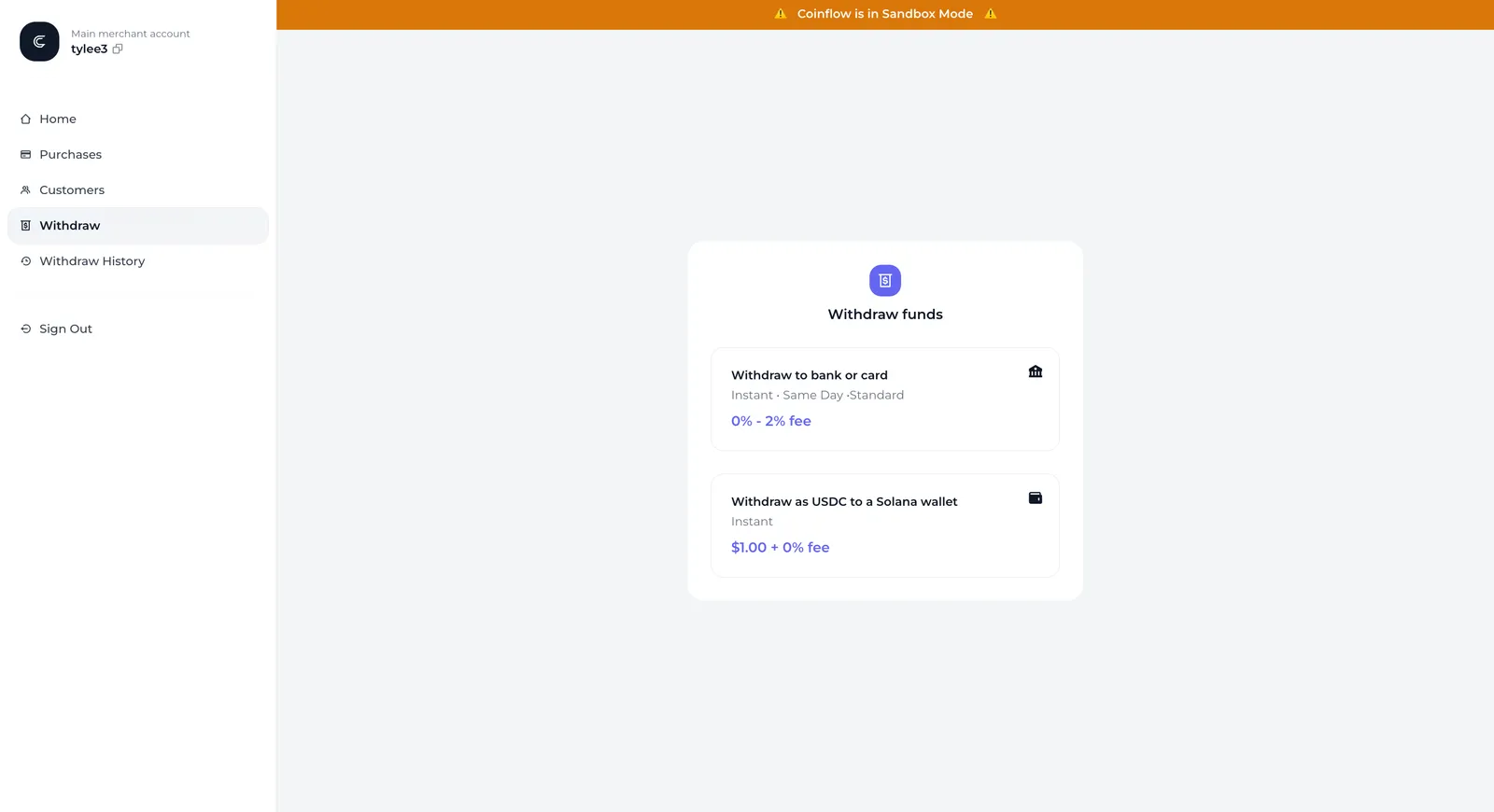
The seller dashboard should be utilized by the marketplace’s sellers. Sellers will need to go through a 2FA flow, using the same email address during the registration process to access their dashboard. The seller dashboard will allow sellers to withdraw their earnings to their bank accounts, and choose the speed to receive the funds. They can also view a history of all purchases made.
Seller Registration Process
All sellers will have to go through a KYC/KYB process to verify their business. Depending on the seller’s entity status (being an individual or business entity) along with their location, they may be redirected to our KYC/KYB service to complete registration. Upon approval, sellers are considered registered, and can access the seller dashboard, where they can view purchase history and make withdrawals.
📘 Learn more about which countries are eligible for seller withdraw.
Setup Seller Payout Destination
Sellers who reside in countries where Coinflow supports bank payouts to their banks, can navigate to the Withdraw tab on their seller dashboard to withdraw to a bank or a card. They will simply add their bank/card details, select a payout speed, and withdraw their funds.
Advanced: Sellers in countries without direct-to-bank payout support
Sellers in countries where direct bank payouts aren’t available can withdraw their earnings in USDC. After adding a payout destination, sellers complete extra verification and wait 24 hours before the first withdrawal. After the 24 hours, funds can be withdrawn instantly.