

How to Test Chargeback Events
To simulate chargeback events and verify that your system receives the corresponding webhooks, follow these steps:
Set up your webhook events
Make sure your system is configured to listen for the following webhook events:
Card Payment Chargeback OpenedCard Payment Chargeback WonCard Payment Chargeback Lost
Complete a test payment
- Use the Coinflow sandbox to complete a test card payment.
- Wait until the payment status is
settled
Open a chargeback for the test payment
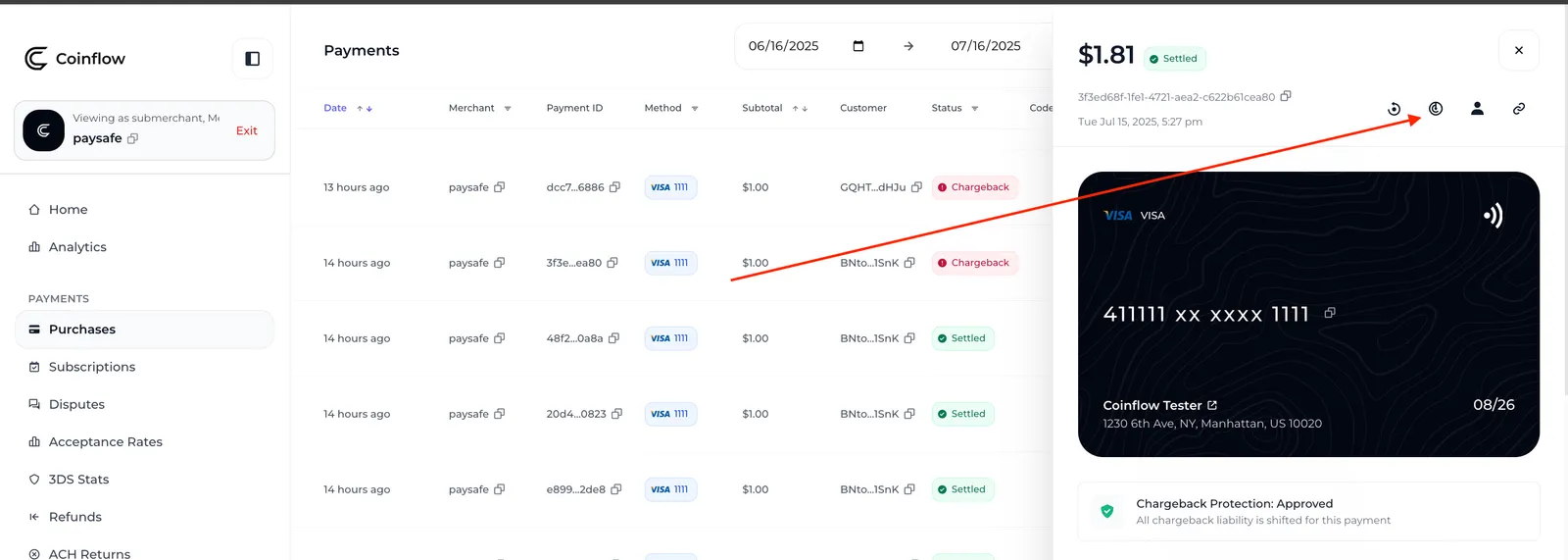
- Go to the Purchases table.
- Find the purchase you just completed.
- Click the chargeback icon to simulate opening a chargeback.
This action will trigger the Card Payment Chargeback Opened webhook.
Set the chargeback outcome
-
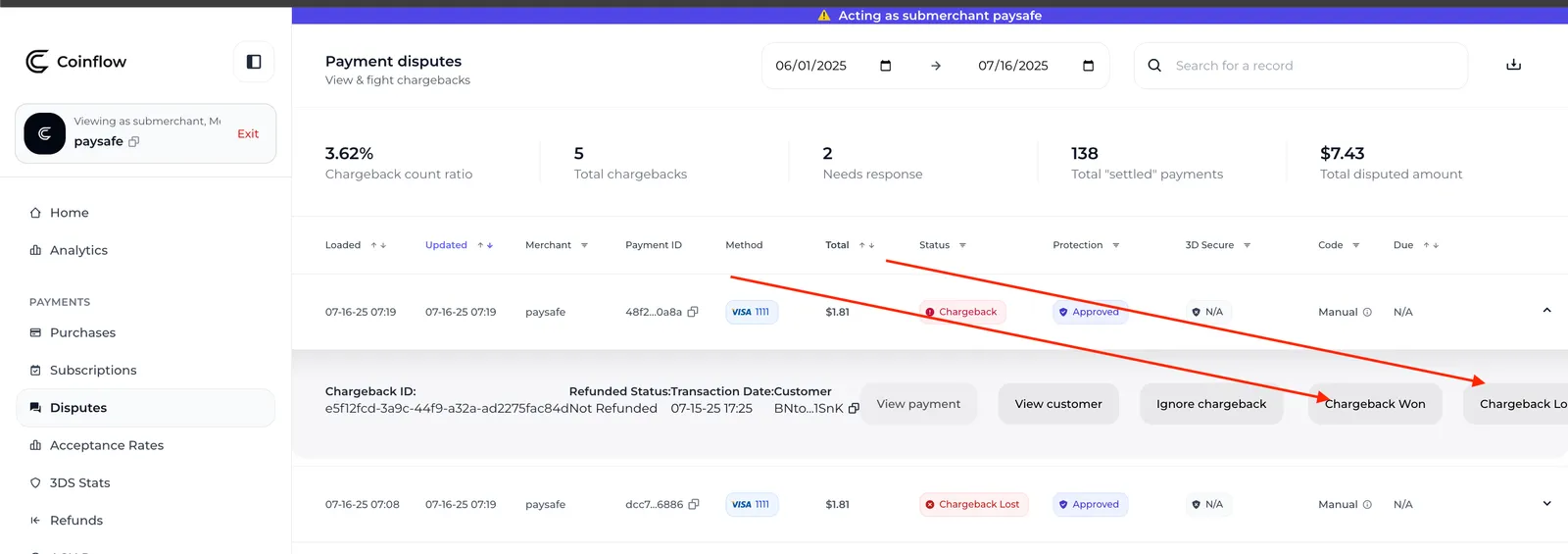
Go to the Chargebacks tab .
-
Search for and select the payment you opened a chargeback for.
-
Click either:
Chargeback Wonto simulate a successful dispute resolution, orChargeback Lostto simulate a lost dispute.
This will trigger the respective webhook:
Card Payment Chargeback WonorCard Payment Chargeback Lost
Verify webhook delivery
Check your webhook listener to ensure all events (Opened, Won, Lost) were received and processed as expected.