

Enabling Customers to Cancel Subscriptions
Overview
Allowing customers to cancel their subscriptions is essential for a good user experience and helps reduce chargebacks. Coinflow provides simple APIs to enable subscription cancellation in two ways:
Cancellation Methods
Two Approaches to Cancellation
- Customer-Initiated Cancellation - Customers cancel through your application using their session key
- Merchant-Initiated Cancellation - Merchants cancel on behalf of customers using the merchant API
Customer-Initiated Cancellation
Step 1: Get Customer’s Subscriptions
First, retrieve all active subscriptions for the customer:
Example Response:
Step 2: Cancel the Subscription
Use the subscription ID to cancel:
Building a Cancellation UI
Here’s an example React component for subscription cancellation:
Merchant-Initiated Cancellation
Merchants can cancel subscriptions on behalf of customers using the merchant API:
This is useful for:
- Customer support scenarios
- Policy violations
- Refund situations
- Account closures
Cancellation via Merchant Dashboard
Merchants can also cancel subscriptions through the Coinflow merchant dashboard:
- Log in to merchant dashboard
- Navigate to Subscriptions
- Click on the subscription plan
- Find the subscriber in the list
- Click Cancel Subscription
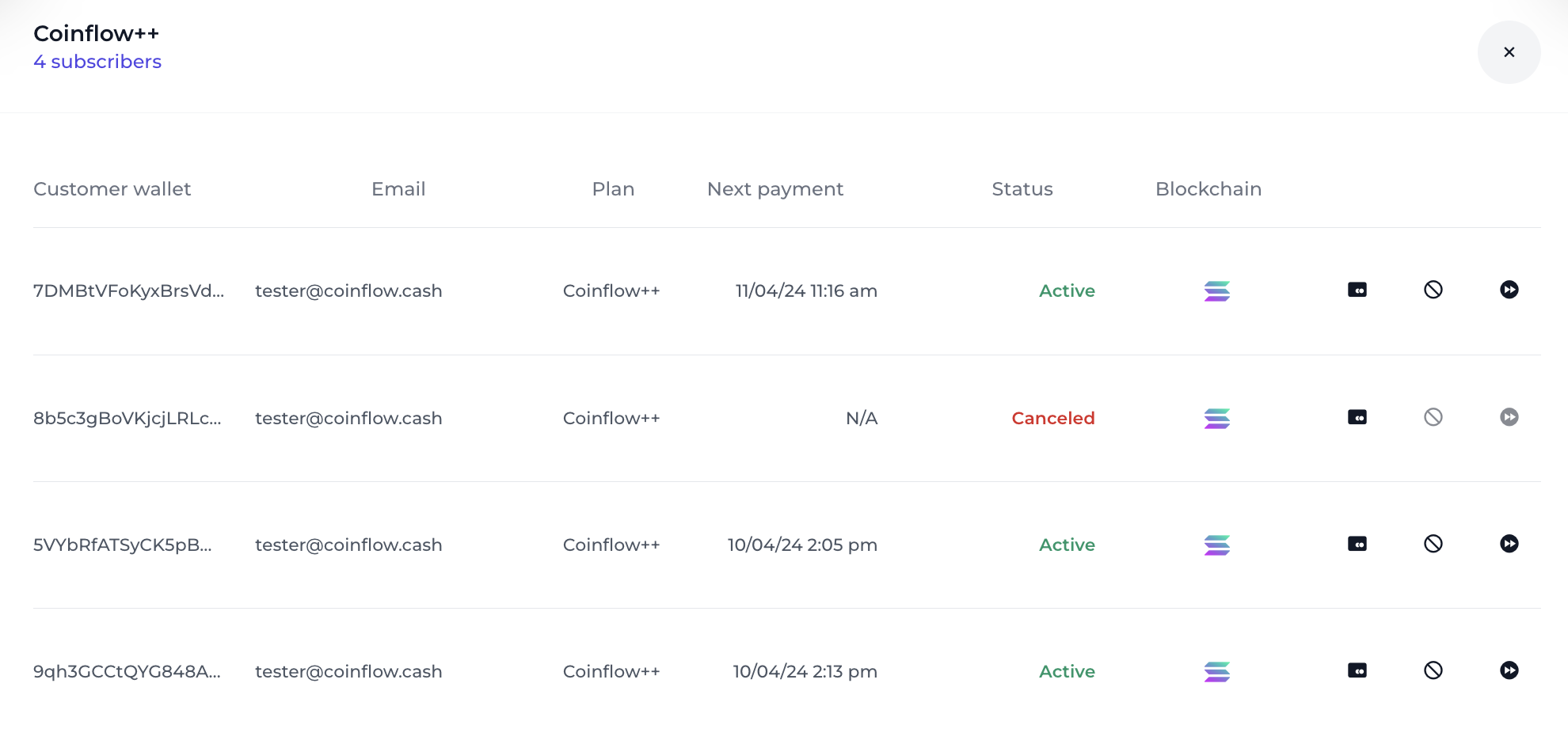
Cancellation Behavior
What Happens When a Subscription is Cancelled
When a subscription is cancelled:
- Status Update: Changes to
Canceled - Billing: No future payments will be processed
- Access: Customer typically retains access until end of current billing period
- Notifications: Cancellation webhook is triggered
Configuring Access After Cancellation
You can implement different access policies:
- Immediate Termination - Access ends immediately upon cancellation
- End of Period - Access continues until the end of the current billing period (recommended)
- Grace Period - Custom grace period after cancellation
Implement your preferred policy in your application logic using the cancellation timestamp and next billing date from the subscription data.
Handling Cancellation Webhooks
Set up webhooks to receive cancellation notifications:
Handle the webhook in your backend:
Best Practices
Clear Communication
- Explain what happens when they cancel
- Show when access will end
- Offer alternatives (pause, downgrade)
- Request feedback on why they’re cancelling
Retention Strategies
Before cancelling, consider:
- Offering a discount or special offer
- Suggesting a pause instead of cancel
- Downgrading to a lower tier
- Providing a feedback form
User Experience
- Make cancellation easy to find (don’t hide it)
- Require confirmation but don’t make it difficult
- Send confirmation email after cancellation
- Allow easy reactivation
Example Cancellation Flow
Reactivating Cancelled Subscriptions
Customers may want to reactivate a cancelled subscription. You’ll need to create a new subscription using the same plan code: