Partial Refunds

Merchants can issue multiple partial refunds for a transaction, as long as the total refunded amount does not exceed the original purchase amount.

Refund from Dashboard

To issue a partial refund from the dashboard:

  1. Locate the payment ID.
  2. Select Refund Transaction.
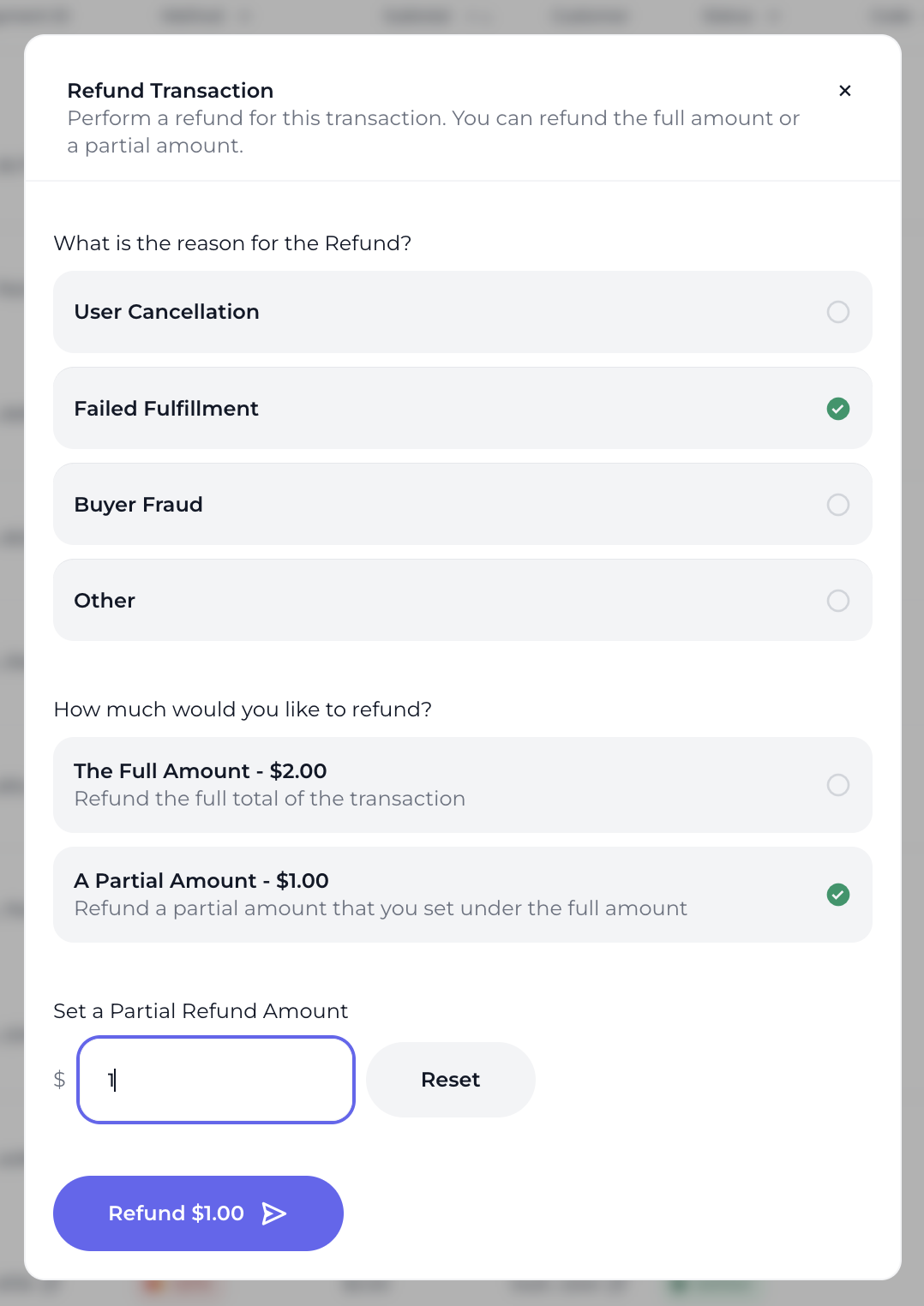
  3. Enter the refund reason, choose Partial Refund, and specify the refund amount.

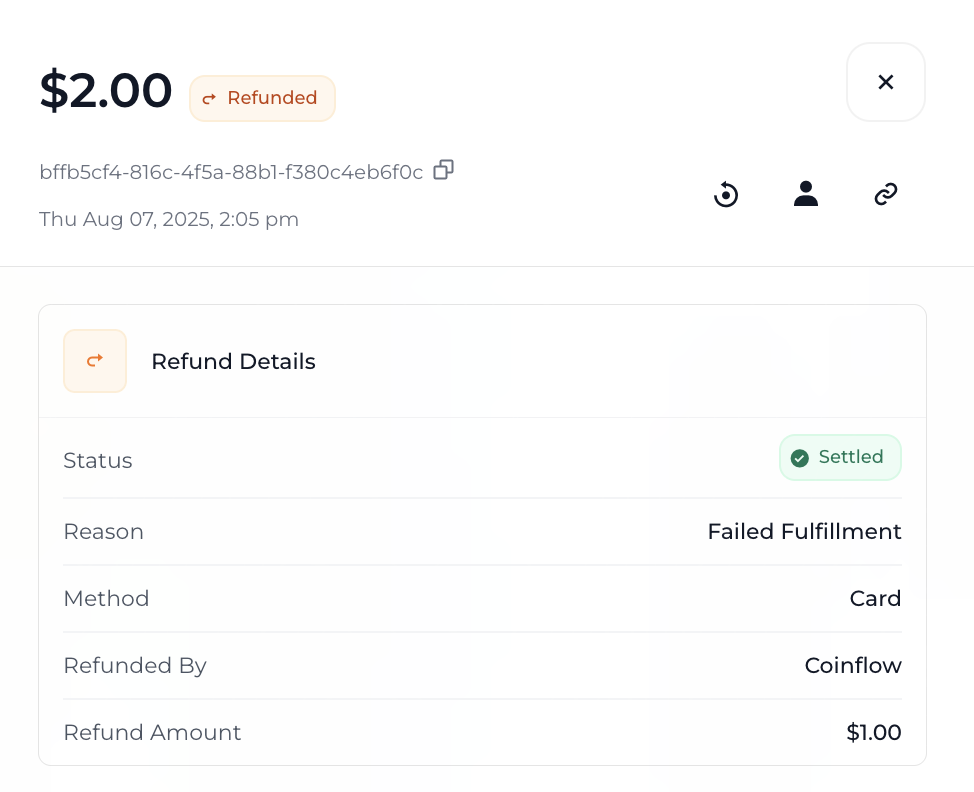
After the refund is processed, the updated total refunded amount will be visible the next time you view the payment ID.
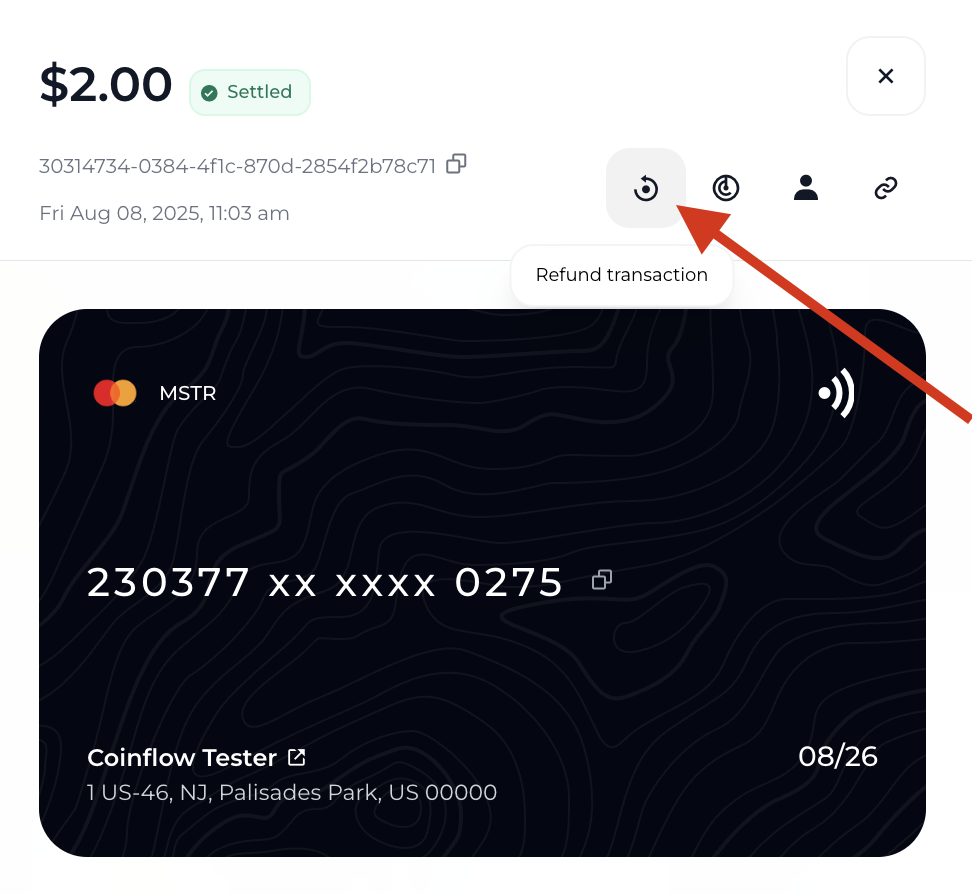
How to initiate a refund from merchant dashboard.
How to specify partial refund amount from dashboard.
How to view payment refund details on the payment record from the dashboard.

Refund API

Merchants can call Coinflow’s Refund Payment endpoint to initiate a refund. To view all refund details for a payment, merchants can also call our View Refund Information for Payment endpoint.

Request
1// Example of how to initiate a partial refund by calling the refund payment endpoint.
2
3
4curl --request PUT \
5 --url https://api-sandbox.coinflow.cash/api/merchant/payments/10475192-95e4-4065-bafd-61e564468129/refund \
6 --header 'Authorization: YOUR_API_KEY' \
7 --header 'accept: application/json' \
8 --header 'content-type: application/json' \
9 --data '
10{
11 "refundReason": "buyerFraud",
12 "partialAmount": {
13 "cents": 50 // The amount refunded back to the customer
14 }
15}
16'
Request
1// Example of how to get refund details after calling view refund information for payment endpoint
2
3
4curl --request GET \
5 --url https://api-sandbox.coinflow.cash/api/refunds/payment/10475192-95e4-4065-bafd-61e564468129 \
6 --header 'Authorization: YOUR_API_KEY' \
7 --header 'accept: application/json'
Response
1{
2 "totals": {
3 "subtotal": {
4 "cents": 50, // The amount refunded back to the customer
5 "currency": "USD"
6 },
7 "processorFees": {
8 "cents": 21, // The fees coinflow collects to process the refund
9 "currency": "USD"
10 },
11 "total": {
12 "cents": 71, // The total amount of processing the refund inclusive of fees + amount returned to customer
13 "currency": "USD"
14 },
15 "rate": 1, // The exchange rate
16 "resolution": {
17 "cents": 71,
18 "currency": "USD"
19 } // The final amount billed to the merchant after any exchange rate
20 },
21 "outstanding": {
22 "cents": 0
23 }, // The amount Coinflow covers to process refund. This represents the refund invoice Merchants owe Coinflow.
24 "_id": "689a3e6fd2869c360b8a6016",
25 "customer": "6876d4e5f083d1b8aaa9b5f1",
26 "merchant": "6840bca9c7cb21ee5baaae76",
27 "payment": "68924934b967a43c7c70beac",
28 "signature": "0xb2ec7e075af26954ee212a250d0e6a602bd2d0d792eb1af972c46eeaca8a1376",
29 "status": "Settled",
30 "source": "Credits",
31 "method": "Card",
32 "provider": "mock",
33 "reason": "buyerFraud",
34 "refundedBy": {
35 "editor": "a59c0b5e41bb491cbaa6dcb38d930aa1",
36 "editorType": "Merchant",
37 "ipAddress": "44.233.151.27",
38 "_id": "689a3e6fd2869c360b8a6017"
39 },
40 "createdAt": "2025-08-11T19:03:11.961Z",
41 "updatedAt": "2025-08-11T19:03:11.961Z",
42 "__v": 0
43}