

⏎ Refunds
Refunds Overview
Coinflow makes handling refunds simple for all purchases, whether they’re for stored-balance credits or one-time purchases. By default, every merchant has a $5,000 refund limit. Merchants who require a higher limit will need to reach out to the Coinflow team.
How Refunds for Store Credits Work
When you issue a refund for stored-balance credits, Coinflow will first check if your settlement account has enough credits to fund it. If there is enough, the refund is processed directly from there. If you don’t have enough credits, Coinflow will use what’s available and cover the remaining amount, invoicing merchants at the end of the month. If there are no credits in your settlement account, Coinflow will fully cover the refund upfront and send an invoice later. This makes it easy for you to manage refunds without needing to manage the intricacies of it.
How Refunds for One-Time Purchases Work
Coinflow first attempts to fund the refund from your available Coinflow balance. If you don’t have enough, Coinflow covers the shortfall upfront and invoices you at month end.
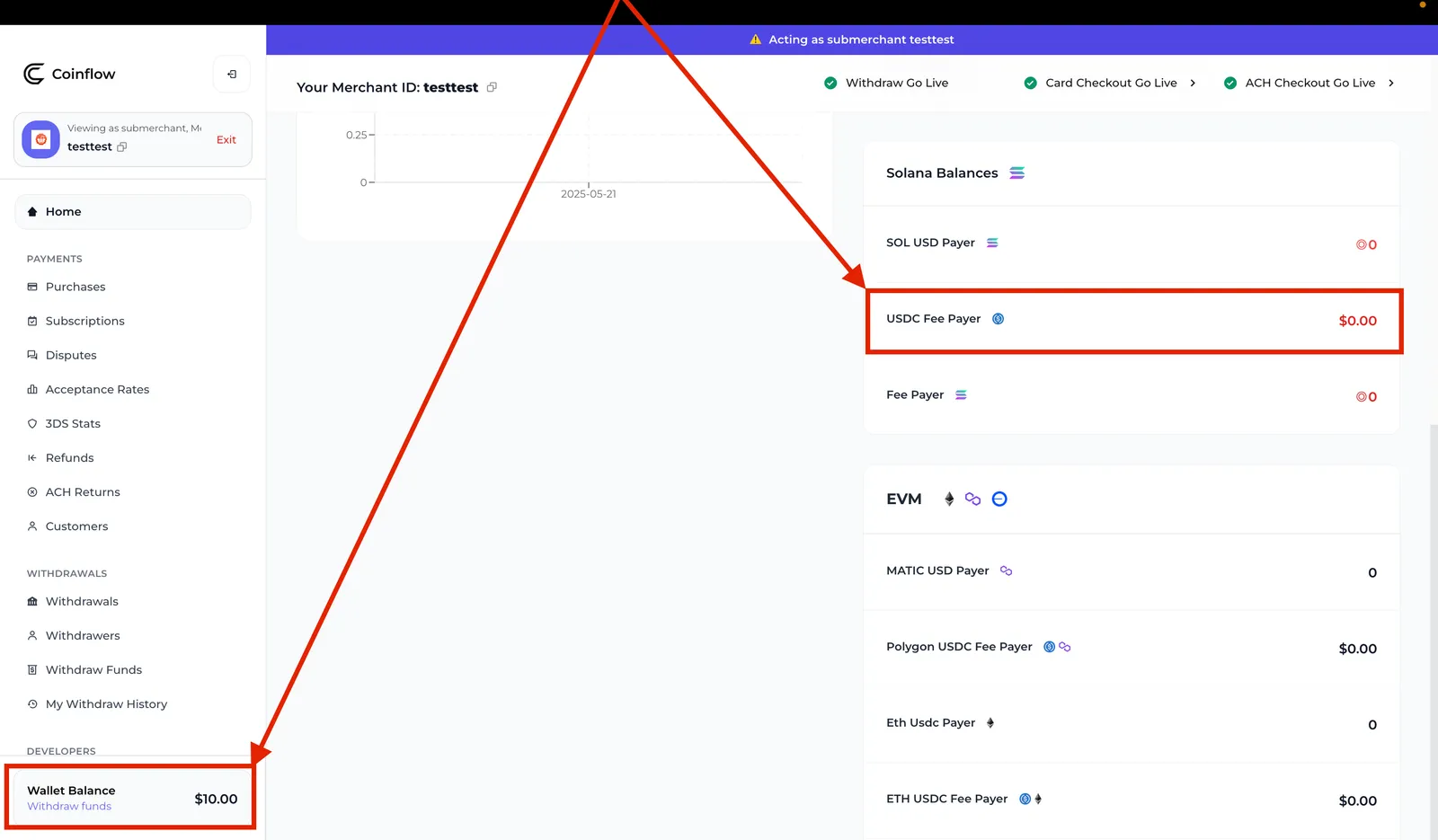
Advanced: Refunds when settling to a USDC fee-payer account
For merchants who hold settlement funds outside Coinflow, Coinflow first checks whether there’s enough USDC in your Coinflow in-app account or USDC fee-payer account. If there’s enough USDC to cover the refund, it’s processed directly from these sources. If not, Coinflow will cover the difference and invoice merchants at the end of the month.
How to Initiate a Refund
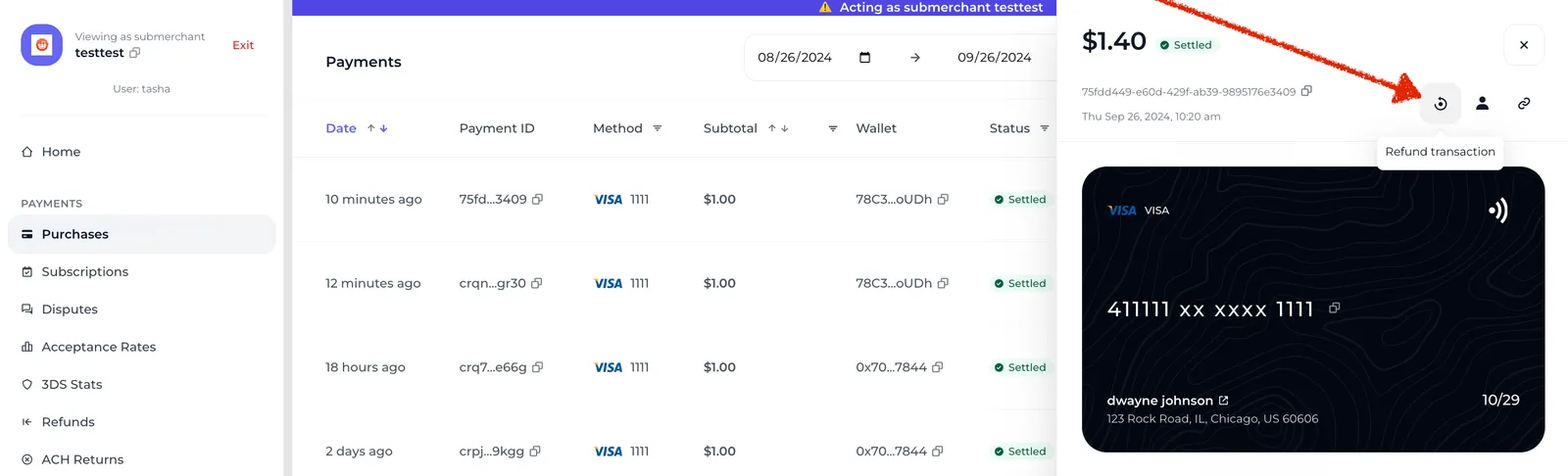
- On the merchant dashboard> Navigate to the payments tab > Select the payment record to refund.
- Select Refund Transaction.
- Navigate to the Refund tab on the merchant dashboard to view any pending refunds.
To refund several transactions at once, see Batch Refunds.
Refund Dashboard
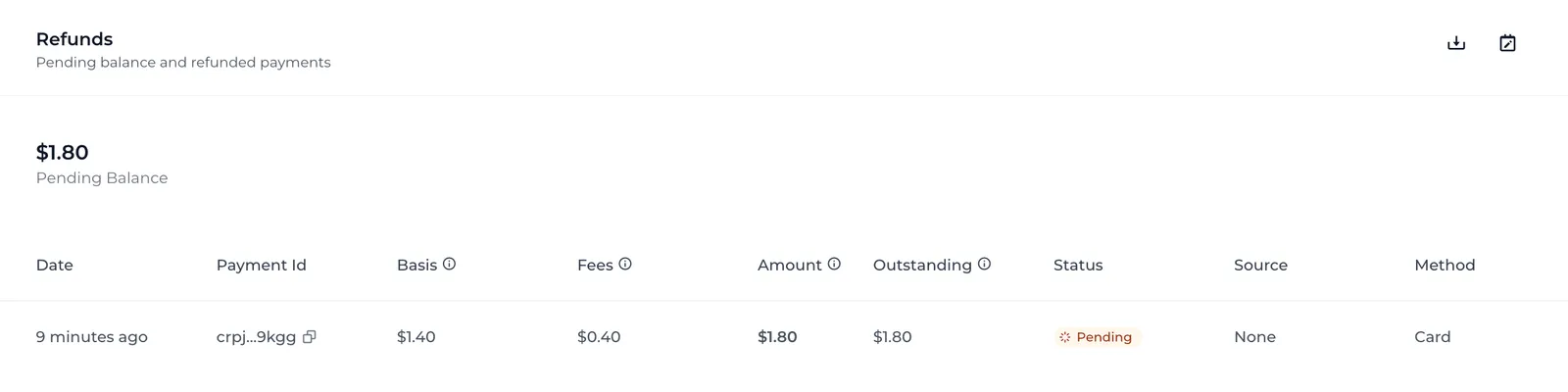
Below is a breakdown of how to interpret the refund dashboard.
Basis
Basis refers to the amount refunded to the end-user. This is typically the subtotal and any fees the customer paid for when they made their purchase.
Fees
Coinflow charges Merchants additional fees associated with processing the refund. These additional fees are calculated based on:
- Processing fees for the original authorization
- Network fees for the original purchase transaction (if applicable)
- The processing fees used for the refund
- Network fees associated with processing the refund
Amount
Amount refers to the total cost of the refund, inclusive of the basis amount and the refund processing fees.
Outstanding
Outstanding refers to the amount that Coinflow has fronted to complete the refund that is owed by the Merchant. The outstanding amount gets added to invoices at the end of the month.
Source
Source refers to where Coinflow pulled funds to initiate the refund. If Coinflow has pulled all or some funds from the USDC fee-payer account, source = USDC. If Coinflow has pulled all or some funds from a settlement account, source = Credits. If Coinflow has fronted 100% of the refund, then source = None.
Status
Merchants will only be able to see pending refunds. Pending refunds means that the refund to the customer was successfully initiated; Coinflow has temporarily fronted the refund amount; and the refund amount has not been added to the merchant’s invoice amount.
Refunds that are fully paid off or invoiced to the Merchant will not be displayed on the Refunds tab.
Method
Method refers to the payment method that the end-user used to make the purchase, and also where the refund will be sent back to.