

🪙 Token Payments
🪙 Token Payments
This page is for advanced / cryptocurrency-native companies. If that’s not you, head back to the Quickstart for the standard flows.
Overview
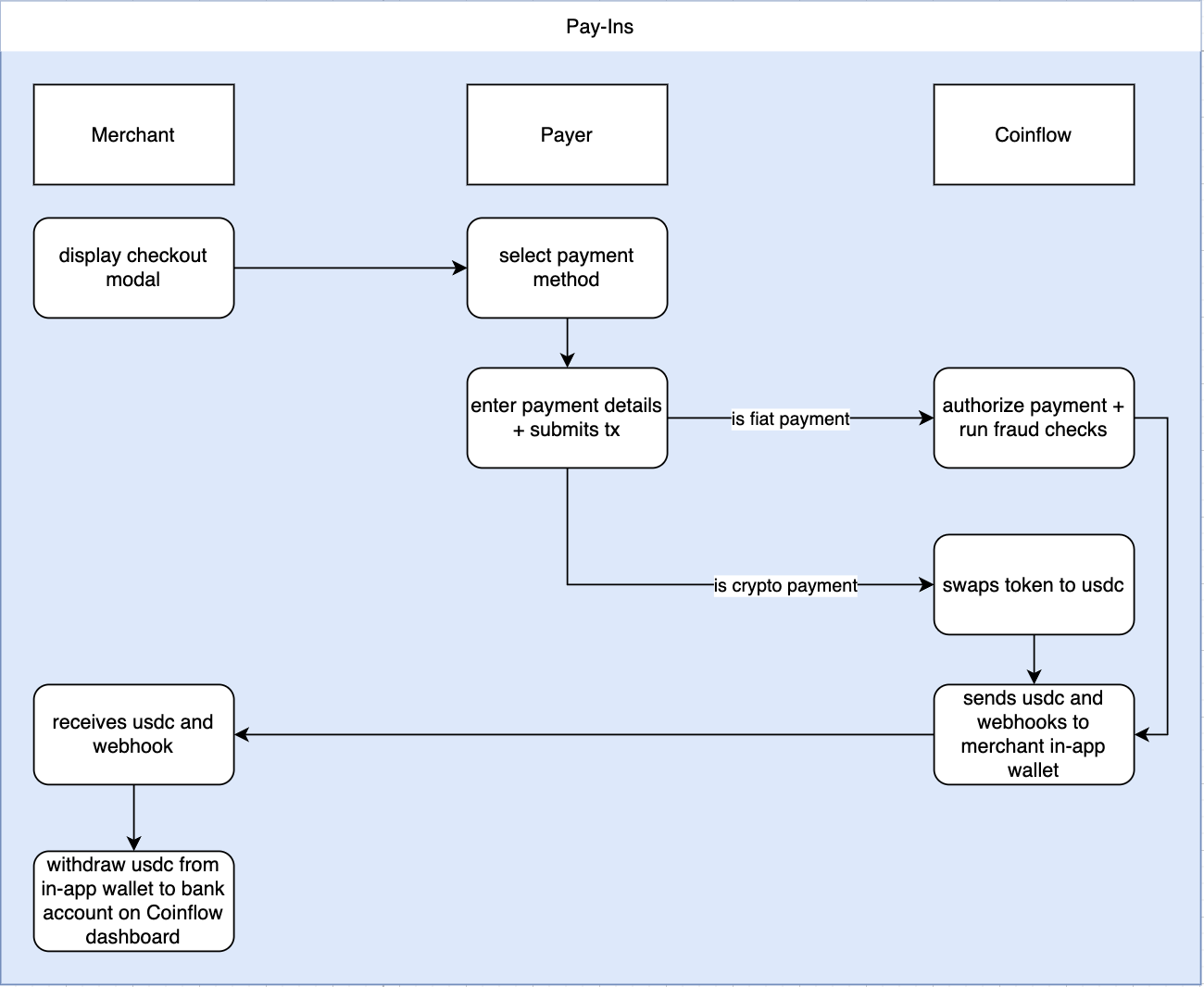
For crypto pay-ins, Coinflow supports allowing customers to make payments on multiple blockchain networks and tokens, and settle in USDC to the Merchant. Customers can connect their wallets, view available tokens, and send payments to a designated address.
How It Works
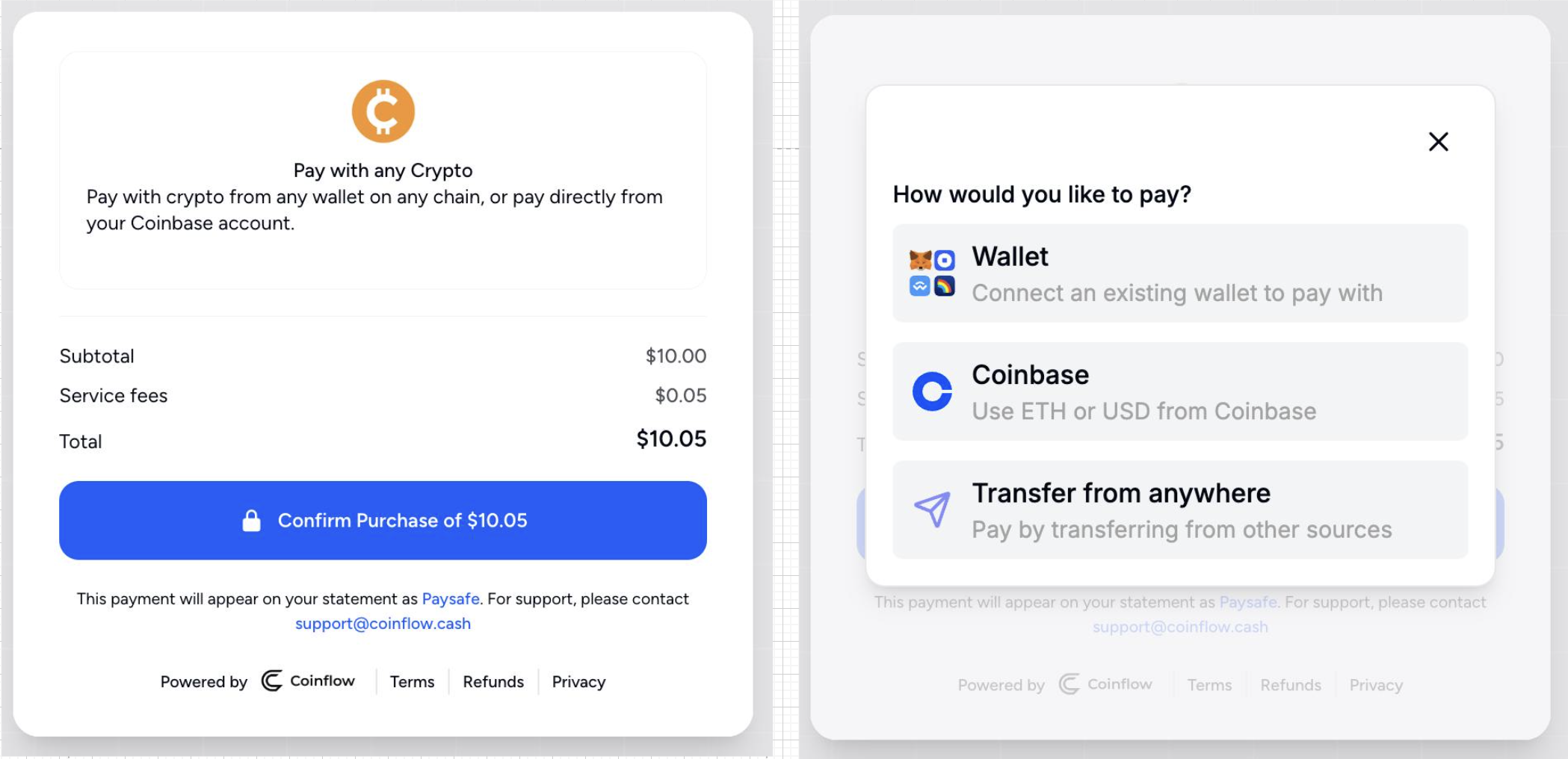
- The payer chooses to pay with cryptocurrency and selects their preferred funding source.
- If the payer has an existing wallet, they can make a wallet connection then view all available tokens across different blockchains to pay with. This allows them to choose both the token and the network for their transaction.
- If the payer has a Coinbase account, they can connect their Coinbase account, then complete their payment with ETH or USD.
- If the payer wants to pay from anywhere, The payer selects a cryptocurrency and chain for the transaction. The system then provides a unique address for them to send their payment. The payer will need to send the selected cryptocurrency to the provided address, completing the transaction.
Supported Chains and Tokens
Contact the Coinflow team for the current list of supported chains and tokens for crypto pay-ins.
Overview of How Crypto Pay-Ins Work
Flow of Funds
Demos
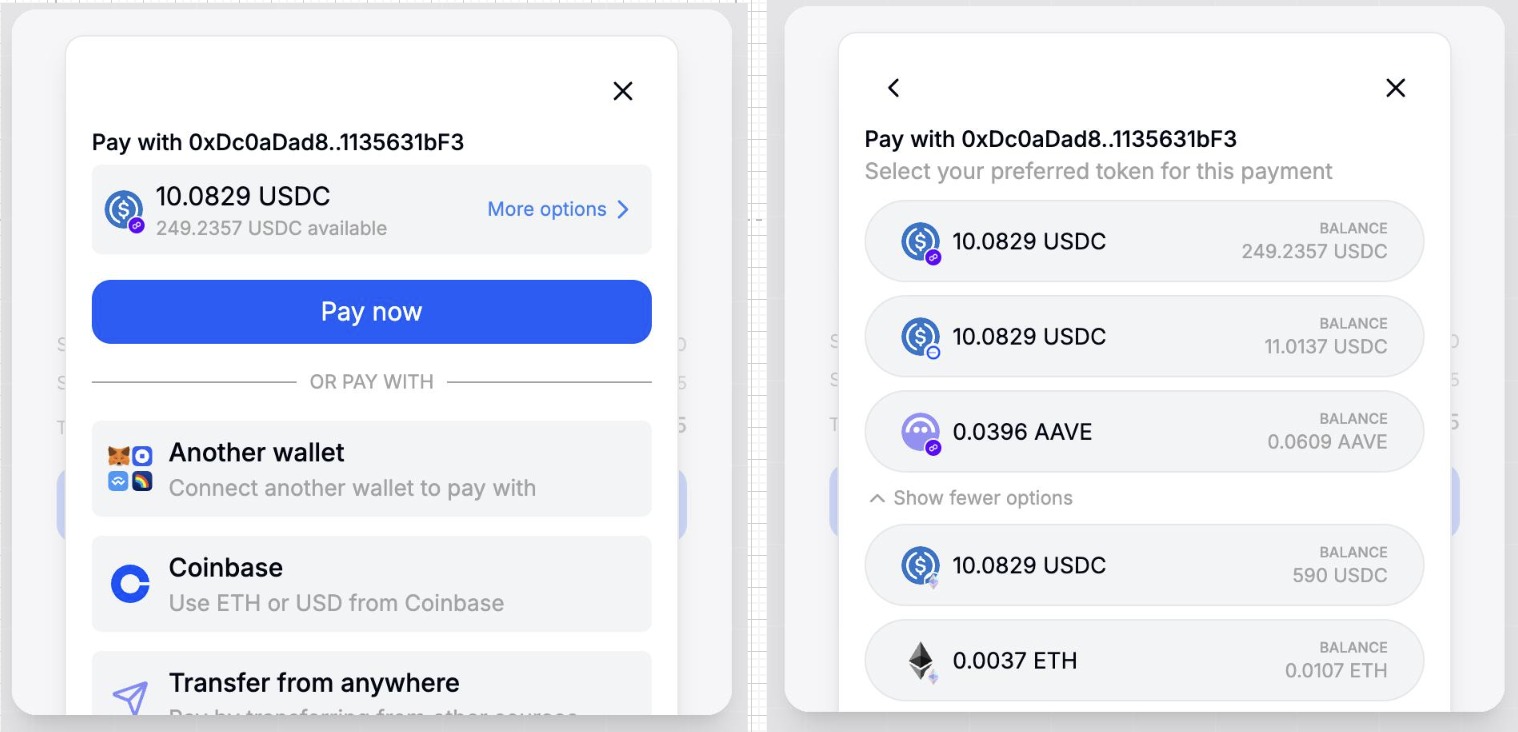
Payer with connected wallet.
(Payer sees all tokens on all chains and can select which token + chain to pay with).
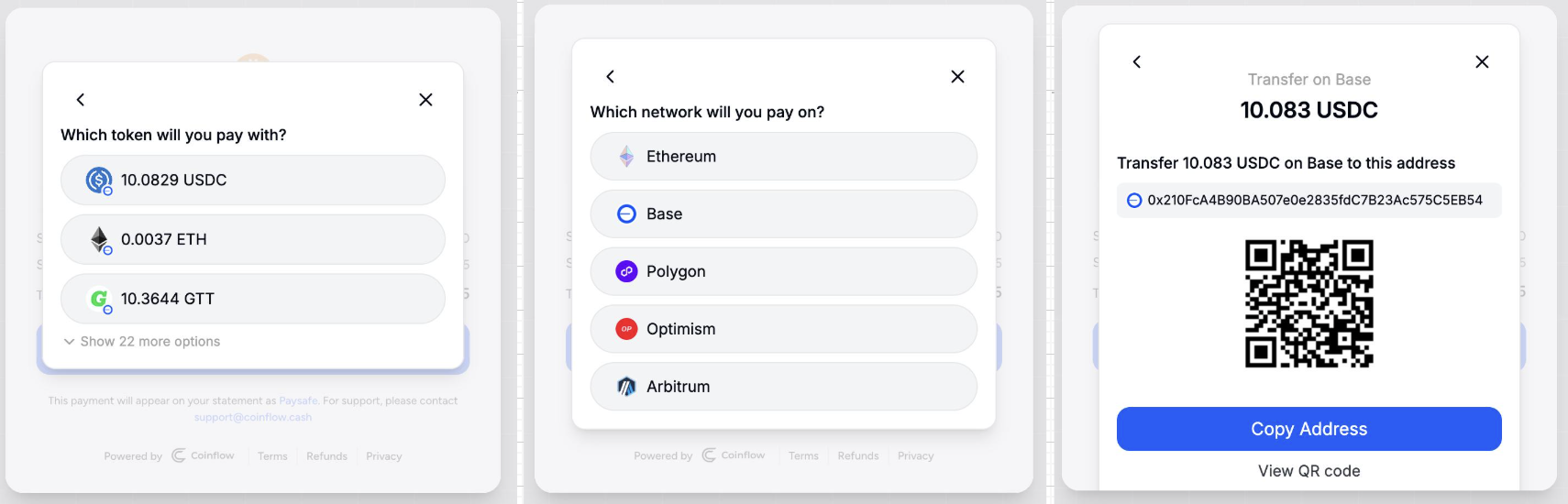
Payer who is paying from anywhere to an address.
(User selects the chain, which token, and is given an address to send the crypto to).
👍 Contact the Coinflow team to enable crypto payins on your account.
Please share your merchant id on sandbox and/or production.
Overview of Crypto Refunds
For crypto refunds, Coinflow supports allowing customers to refund on multiple blockchain networks and tokens, and settle in USDC to the customers wallet. Customers can connect their wallets, and receive refunds their wallet addresses.
How It Works
- The payer chooses to pay with cryptocurrency and selects their preferred funding source.
- If the payer has an existing wallet, they can make a wallet connection then view all available tokens across different blockchains to pay with. This allows them to choose both the token and the network for their transaction.
- The payer can then transfer their cryptocurrency to a wallet or transfer to an external wallet address
- In the event of underpayment or failure, the transaction will fail and the user will be presented with a modal that provides a session ID and a return wallet address. This is where the user can provide the address to return the funds.
Merchant Webhook Notifications
When a customer sends the wrong amount of crypto, Coinflow automatically notifies your server via webhook so you can take action or surface the refund link directly in your own UI.
Both events share the same payload shape:
The refundUrl in the webhook payload is a direct link to the refund portal for that session. You can pass this URL to your customer so they can submit their wallet address and receive their funds back. Coinflow also automatically sends the customer an email with this link.
The paymentId, sessionId, and amount values shown above are examples only and are not reflective of real production values.
To subscribe to these events, go to Coinflow Admin Dashboard → Developers → Webhooks, select the latest webhook version, and enable Crypto Overpayment and/or Crypto Underpayment. See Configuring Webhooks for setup instructions.
Demos
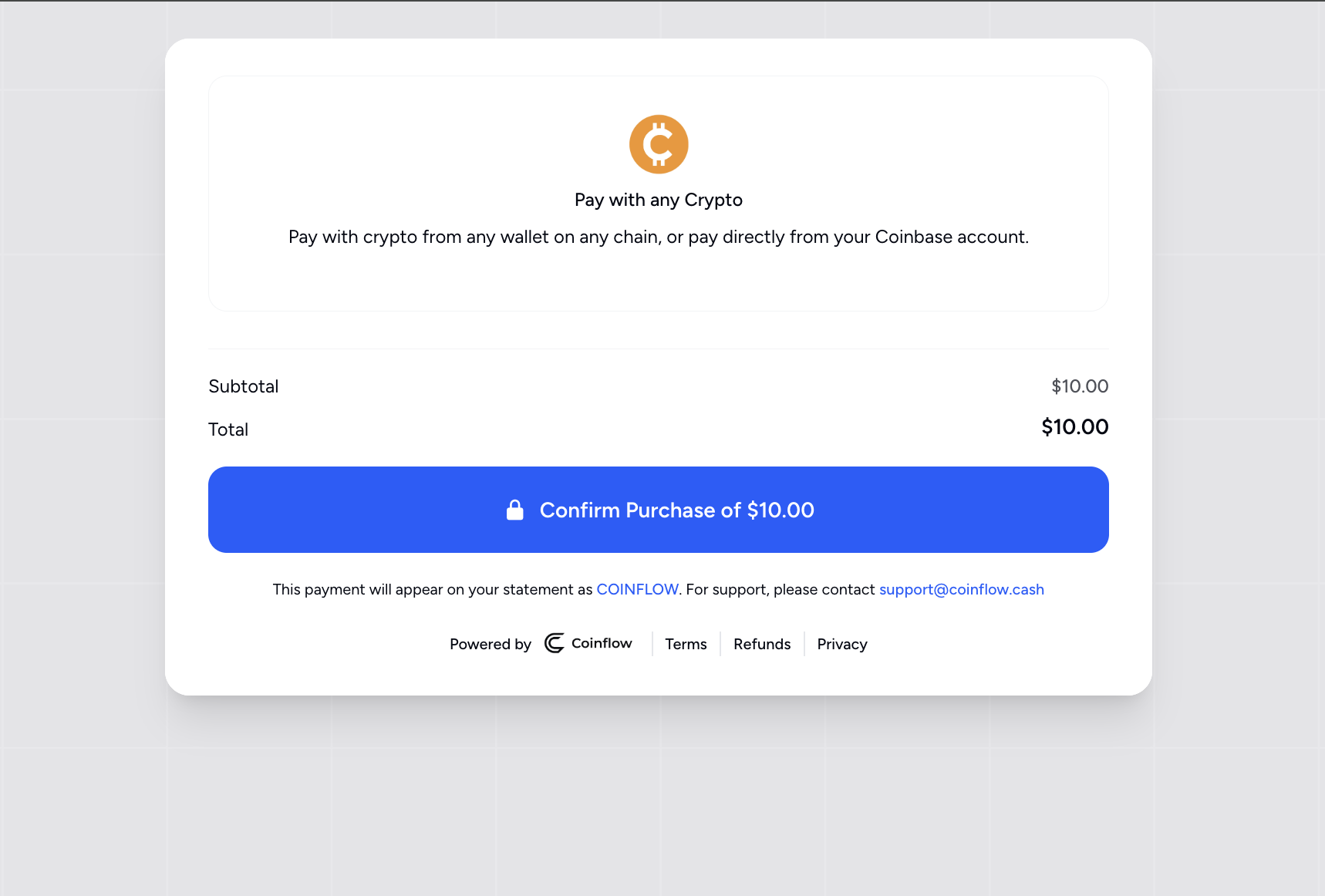
Payer will confirm purchase of x value
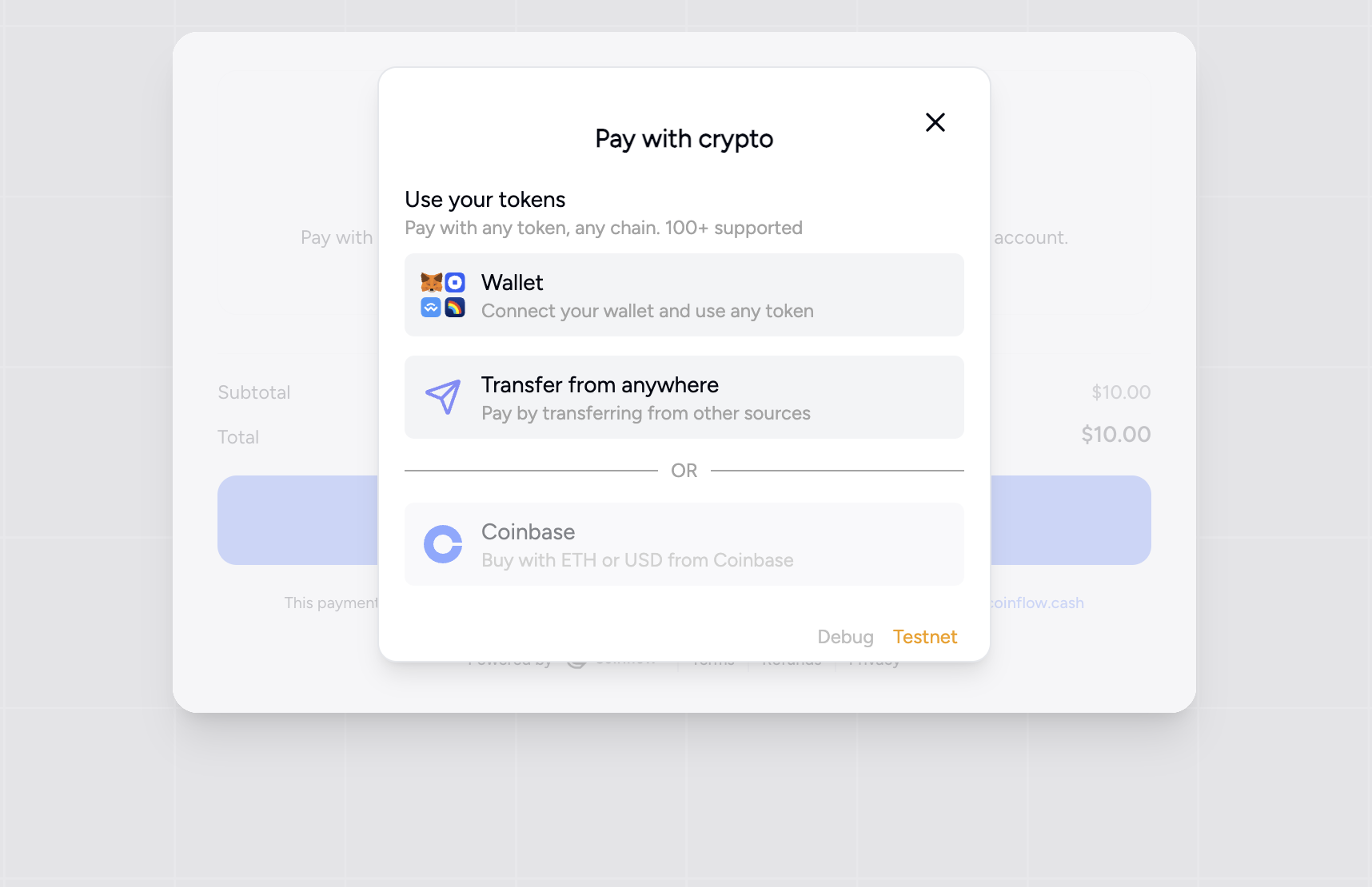
Payer will then choose a wallet or transfer to another temporary wallet.
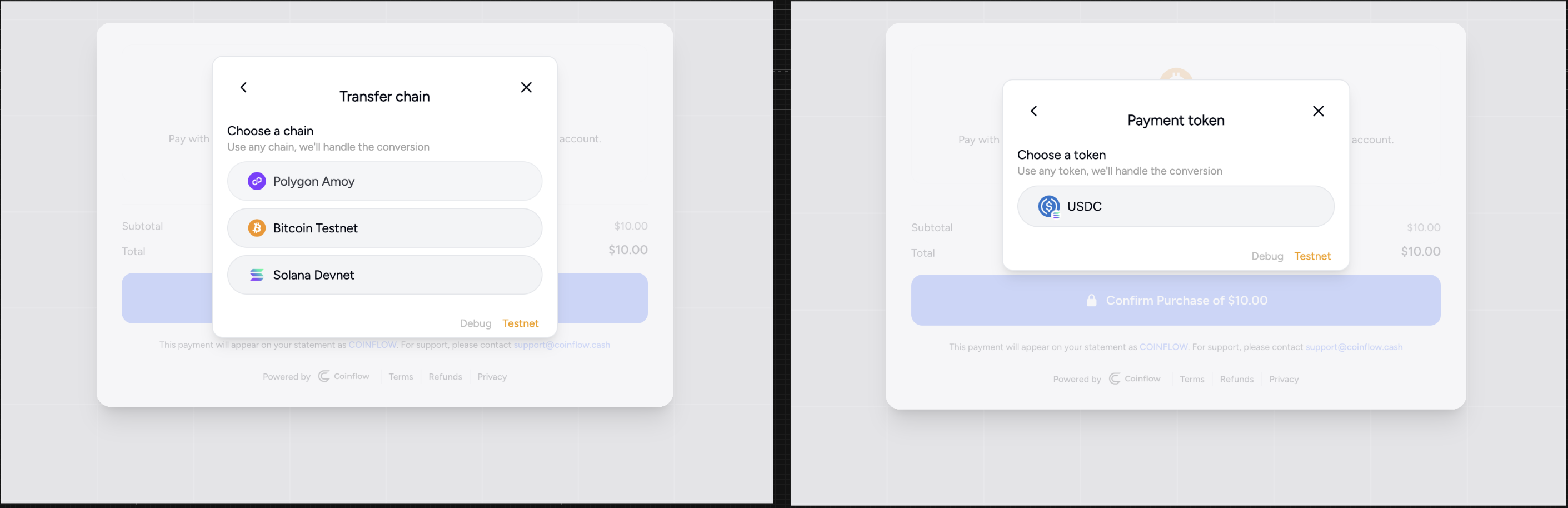
Payer will then choose a transfer chain and select their currency.
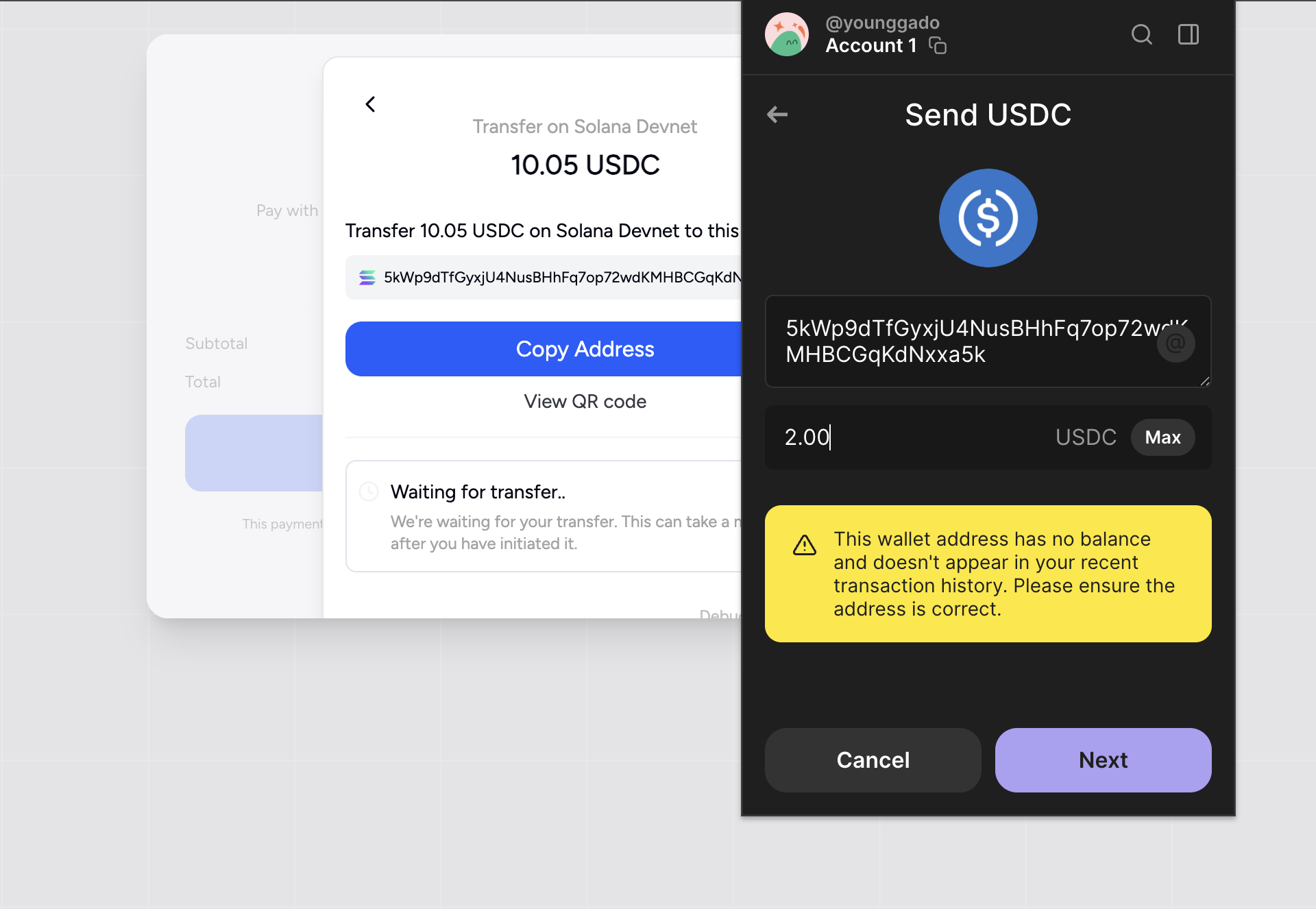
Select your wallet on Phantom/Metamask (I’m purposefully going to input an amount less than 10.05 USDC we’re expecting).
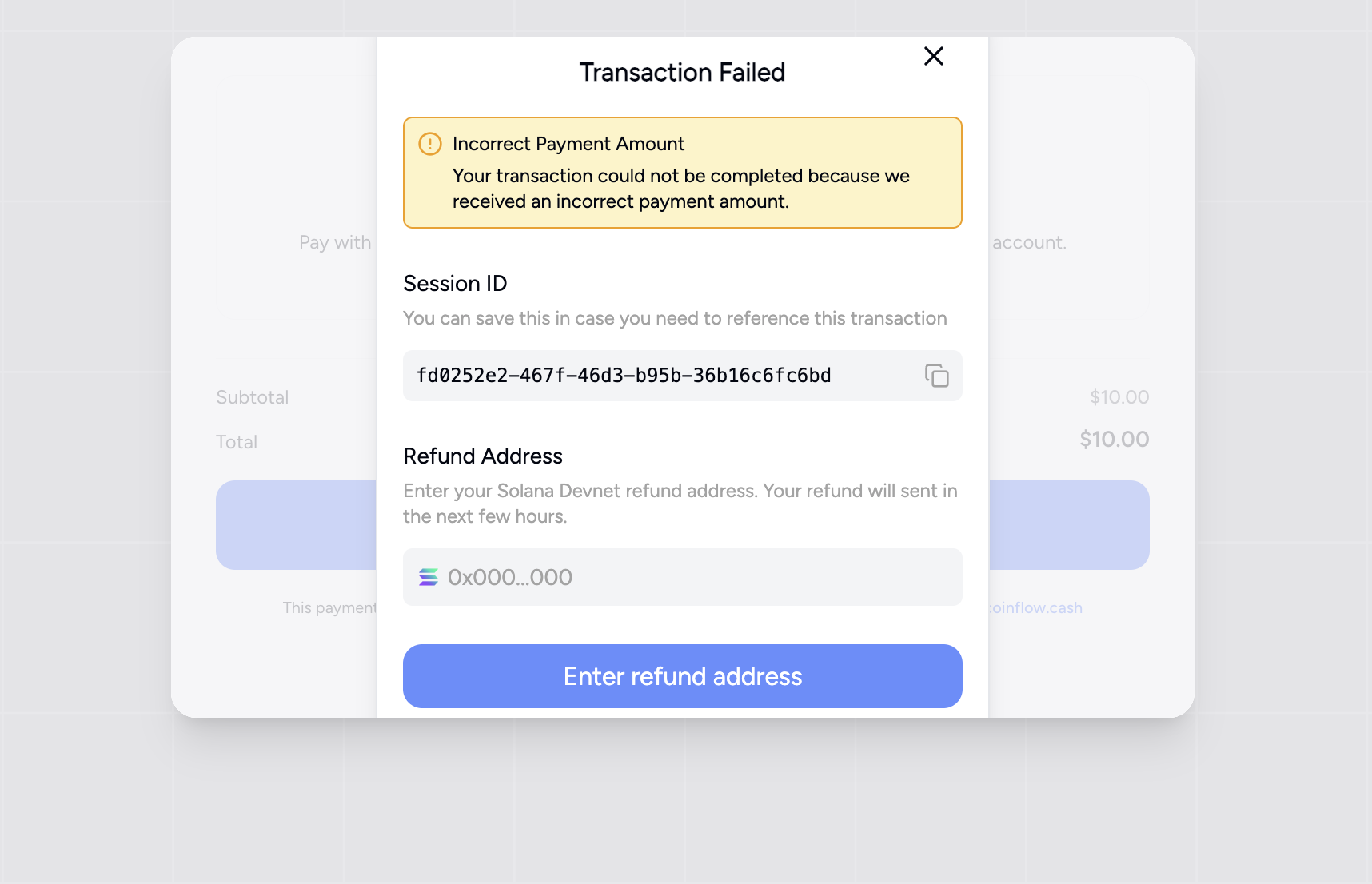
Once you send the amount (under expectation) you will receive a transaction failed modal. Here there will be a session ID you can refer to (our your developers) and an input field where you can enter your return address.