👝 Settlement to Coinflow Wallet
Overview
The Coinflow Wallet is the recommended settlement destination for most merchants. Funds from every successful payment land in a balance Coinflow holds on your behalf, and you can pay out users, withdraw to your bank, or enable automatic ACH sweeps from there. Coinflow manages the underlying movement of funds, so you don’t need to operate any additional payment infrastructure.
With the Coinflow Wallet, you can:
- Consolidate all revenue from customer purchases into one place.
- Use the wallet balance for user payouts.
- Easily withdraw funds from the Coinflow wallet to your bank account at any time.
How to Configure Coinflow Wallet Settlement
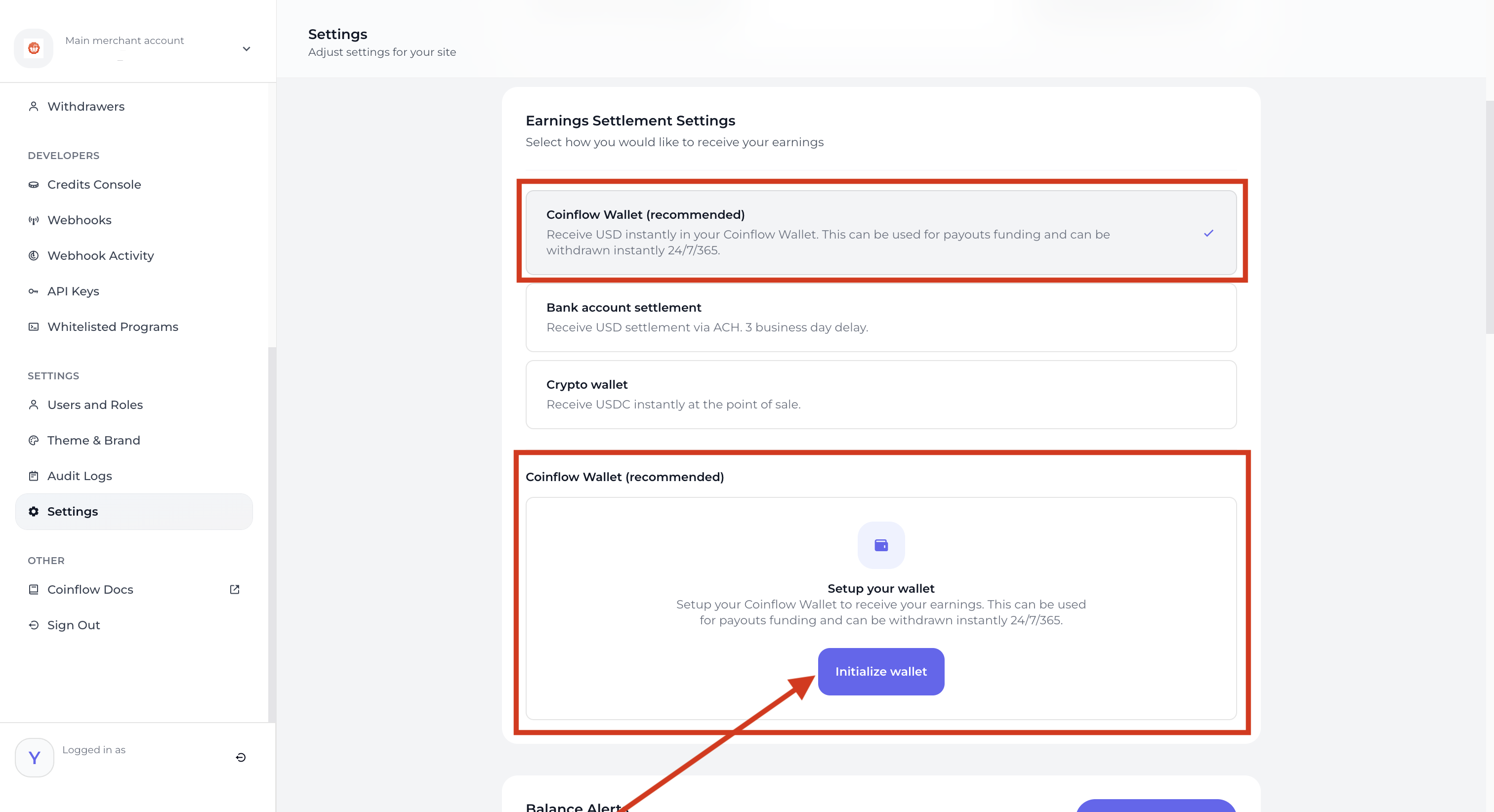
- Go to Settings > Earnings Settlement Settings. By default, Coinflow Wallet will be selected for new Merchants.
- Under Coinflow Wallet (recommended) > Select Initialize Wallet
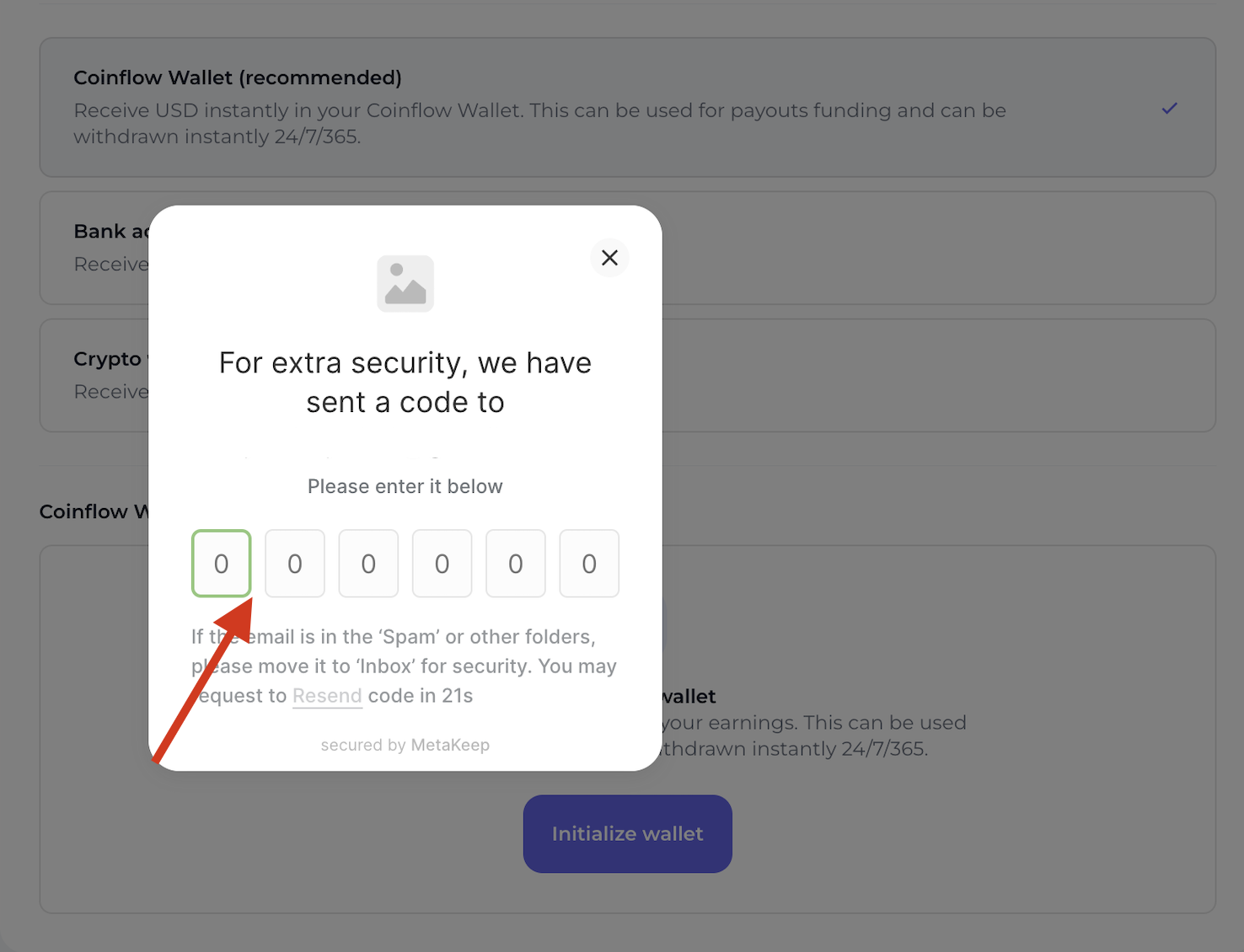
- Authorize Coinflow to manage the transfer of funds.
- Complete 2FA.
-
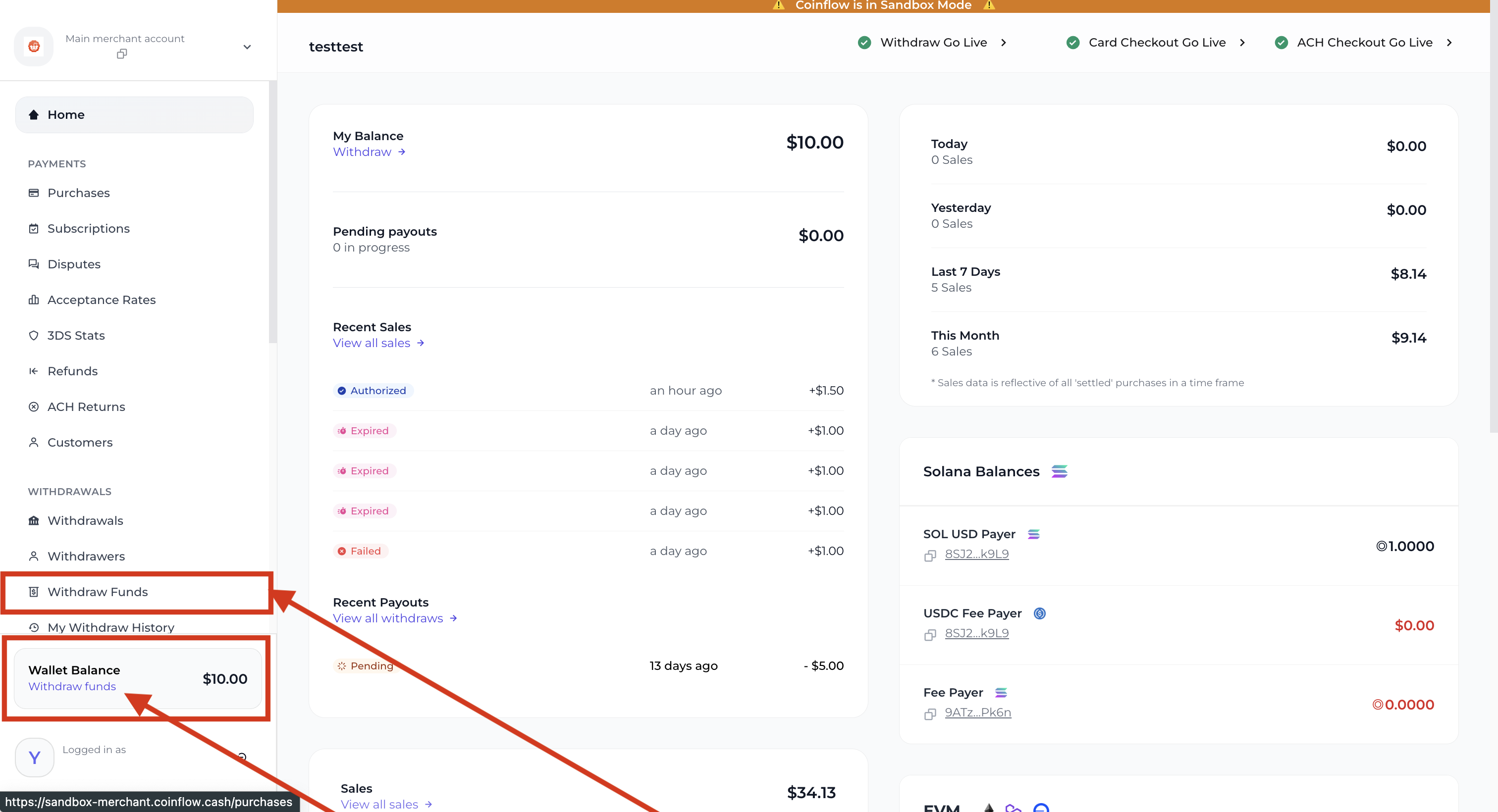
Withdraw Wallet Balance
Bank Settlement
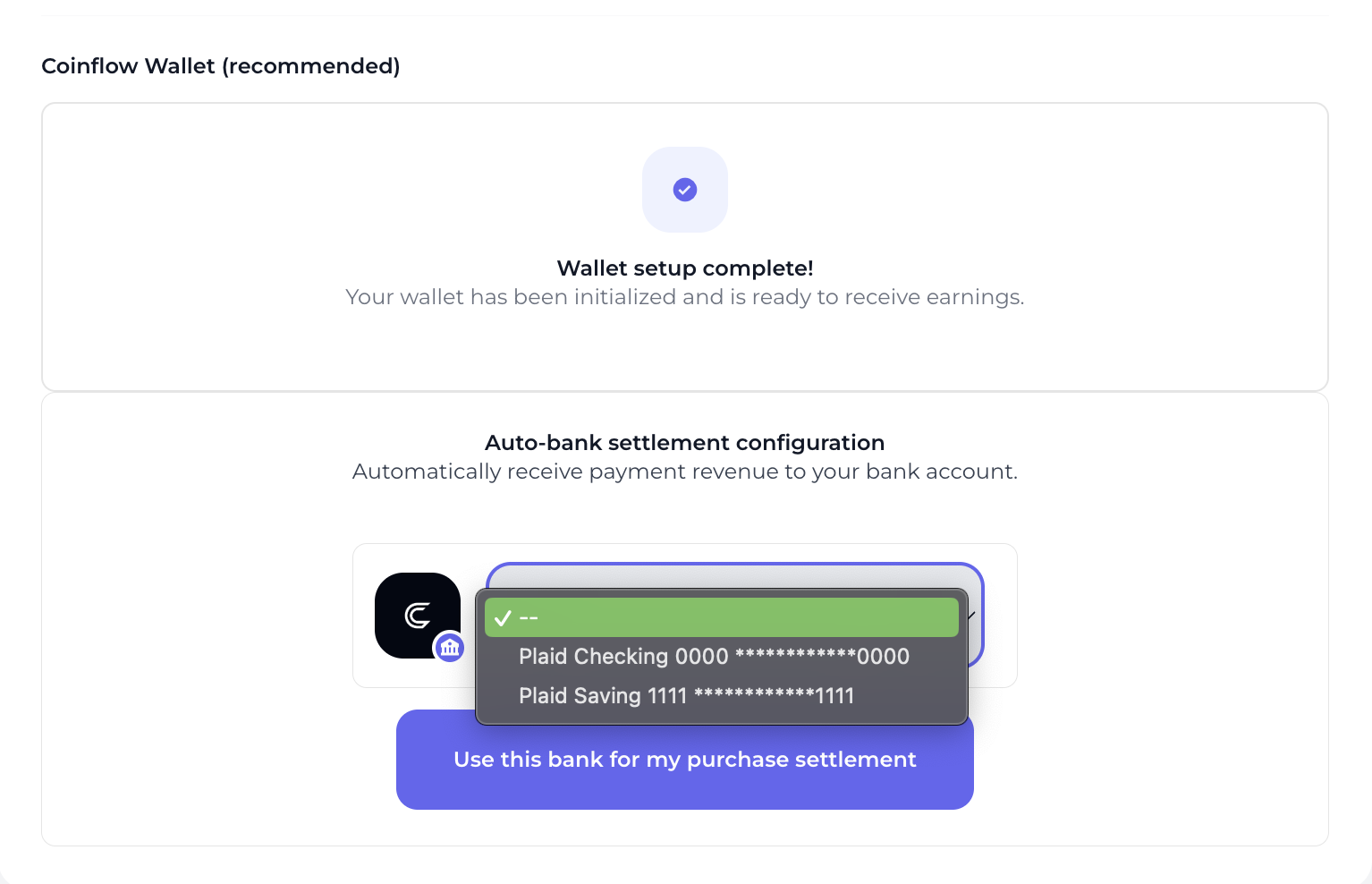
Merchants can transfer funds from their Coinflow in-app wallet to their business bank accounts either manually through the UI or by enabling automated bank settlements. Arrival times depend on the destination bank’s local payment rail.
To set up automated bank settlements:
- Configure your Coinflow wallet
- Navigate to the auto-bank settlement section in the dashboard
- Use the dropdown to add your bank account
- Select
Use this bank for my purchase settlementto save your settings