⚙️ How Payouts / Withdraws Work
Learn about the different payout flows Coinflow can support.
How Payouts / Withdraw Works
-
Verification
- All individuals or businesses must complete KYC (Know Your Customer) or KYB (Know Your Business) verification. This may involve providing your country of residence, a form of ID, and a selfie. KYC approvals typically takes under 10 seconds, while KYB usually completes automatically within 30 seconds. If automatic KYB verification fails, a manual review may take up to 24 hours, though most businesses (90%) pass within the initial 30 seconds. Verification times may vary based on location and review needs.
- Merchants who already conduct KYC on their platforms can pass Coinflow the user’s KYC data when implementing via API. See the API docs here.
-
Bank Account Linking
- End-users need to link a bank account or debit card to receive their funds. Depending on your implementation method, Merchants may need to integrate bank authentication to enable end-users to add a bank account. For those using our pre-built UI, bank authentication is done Plaid.
-
Withdrawal Selection
- Select a preferred payout speed: Instant settlement, same day settlement, or standard settlement.
-
Confirmation
- Receive a confirmation of your withdrawal once processed.
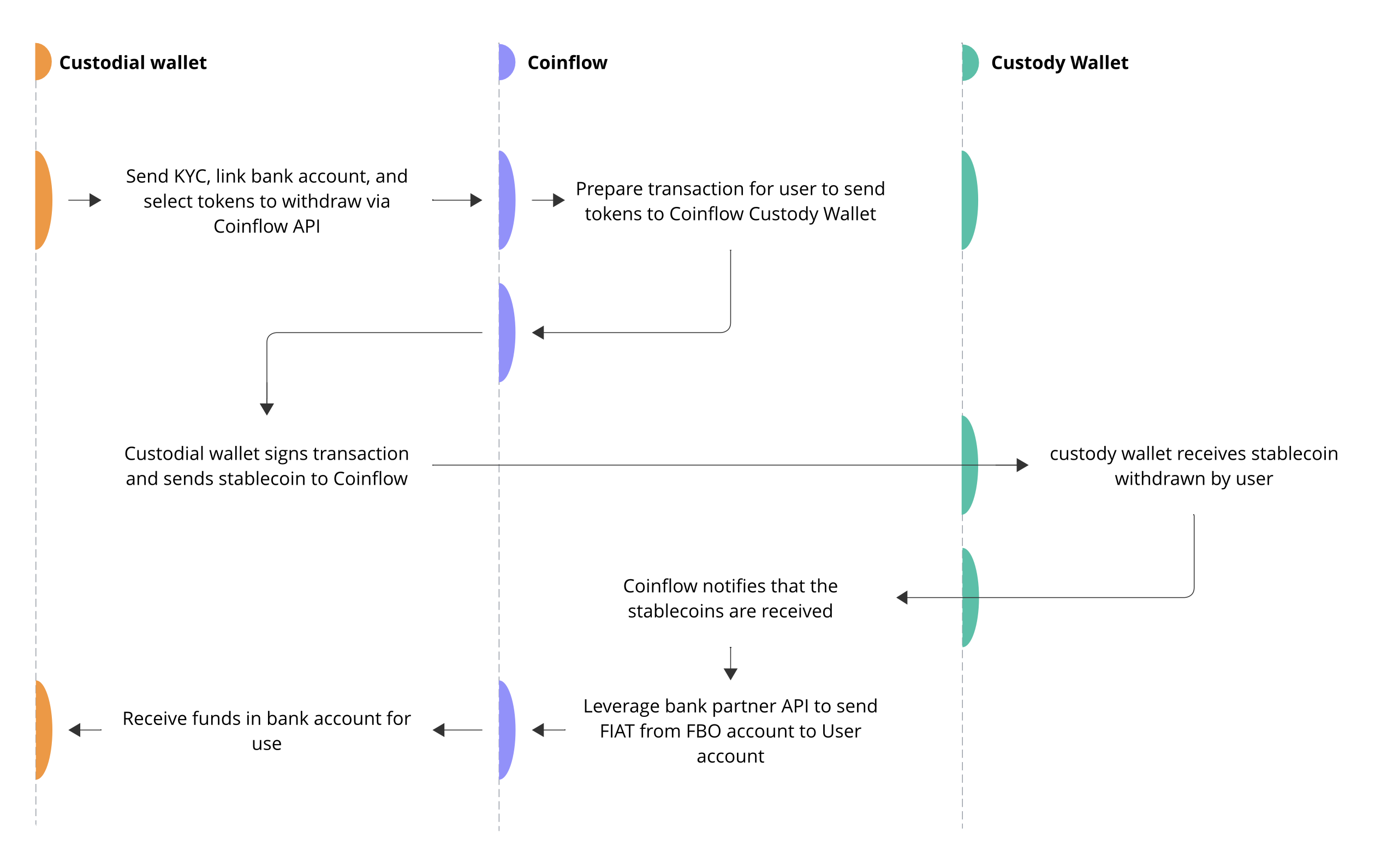
Withdraw Flow of Funds for Payout from User Custodial Wallet
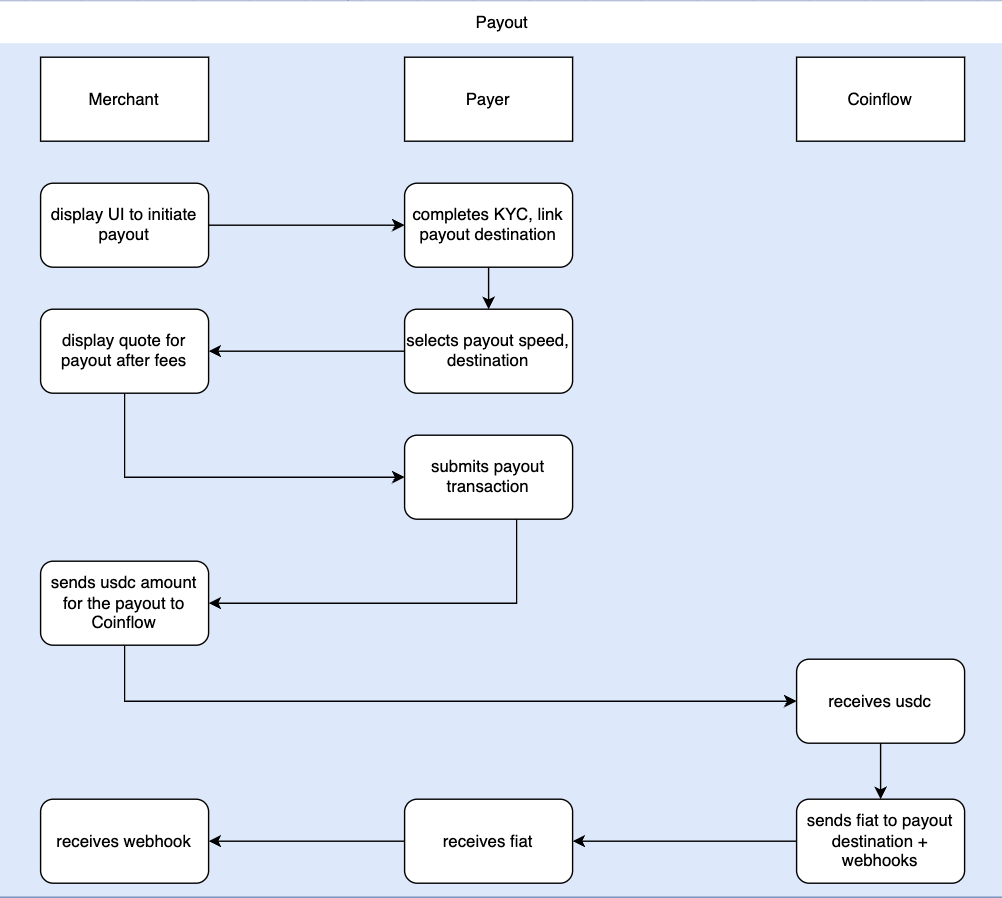
Withdraw Flow of Funds for Payout from Merchant Wallet / Coinflow Wallet
📘 Try Withdrawing Funds on Sandbox!
Try withdrawing funds on our example app.
- Link A wallet.
- If you do not have a wallet, click Select A Wallet > More Options > Burner Wallet.
- Copy Wallet Address by clicking on the wallet address.
- Send testnet USDC to the copied wallet address.
- Navigate back to our example app.
- Complete verification Form.
- Add a bank account or debit card.
- Select payout speed.
- Withdraw your funds!
Note: Our sandbox environment does not use any real money.

