⚙️ How Subscriptions Work
Learn how to set up a subscription with Coinflow.
How It Works
- Define Subscription Plan Details
Plans are the backbone of subscriptions - they define how a subscription will work. Set up a plan name, description of the plan, frequency of billing, duration of plan, pricing, and how you’d like to settle proceeds from each subscription purchase. - Customer Adds Payment Details
First time customers can add a credit card or bank account, which can then be saved for future reuse. - Start Billing
Once subscribers sign up, Coinflow will automatically charge them according to the frequency set.
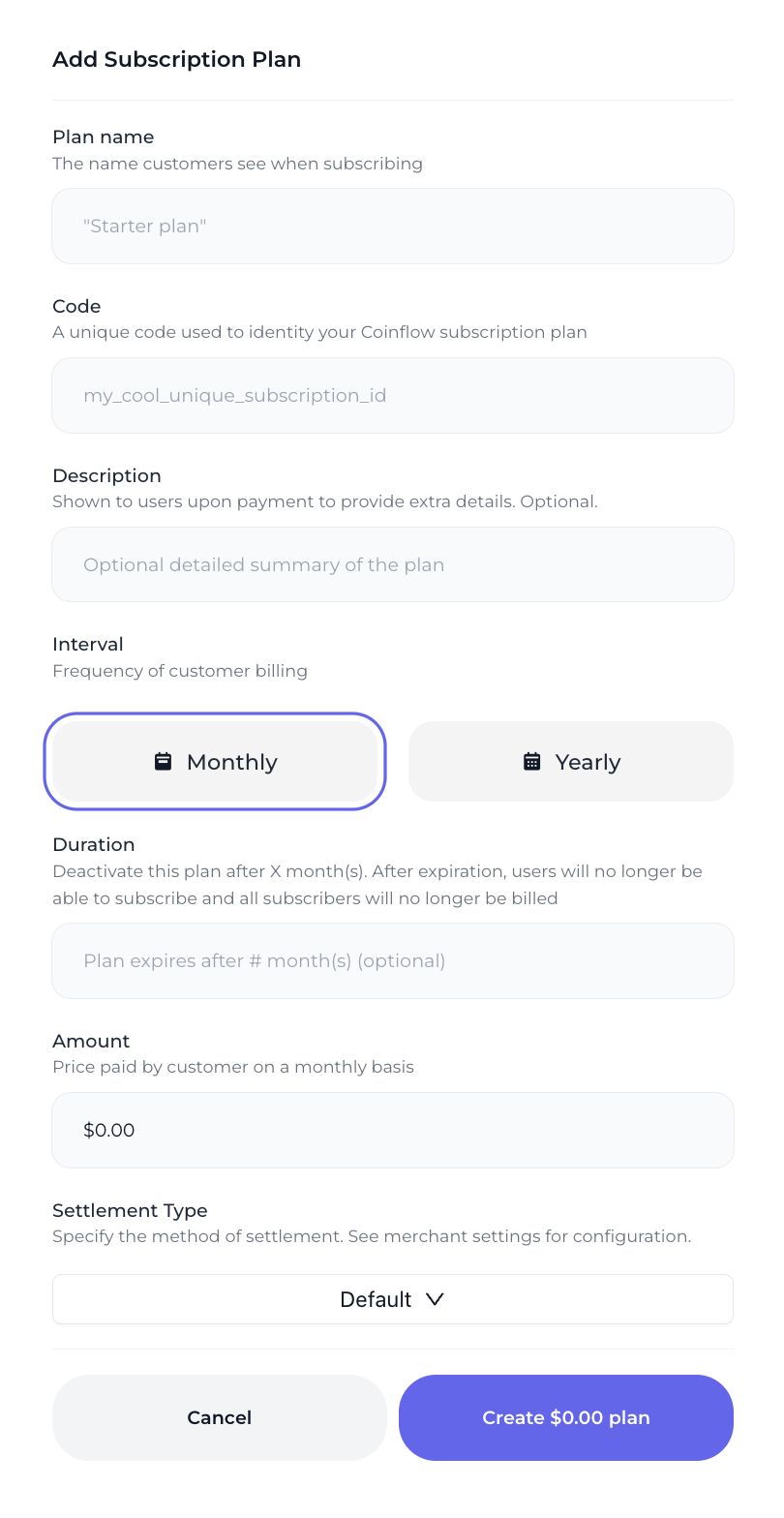
Defining Plan Details
Managing Subscription Plans and Subscribers
Once a plan is created, you can see the subscribers, edit the details, and deactivate it.
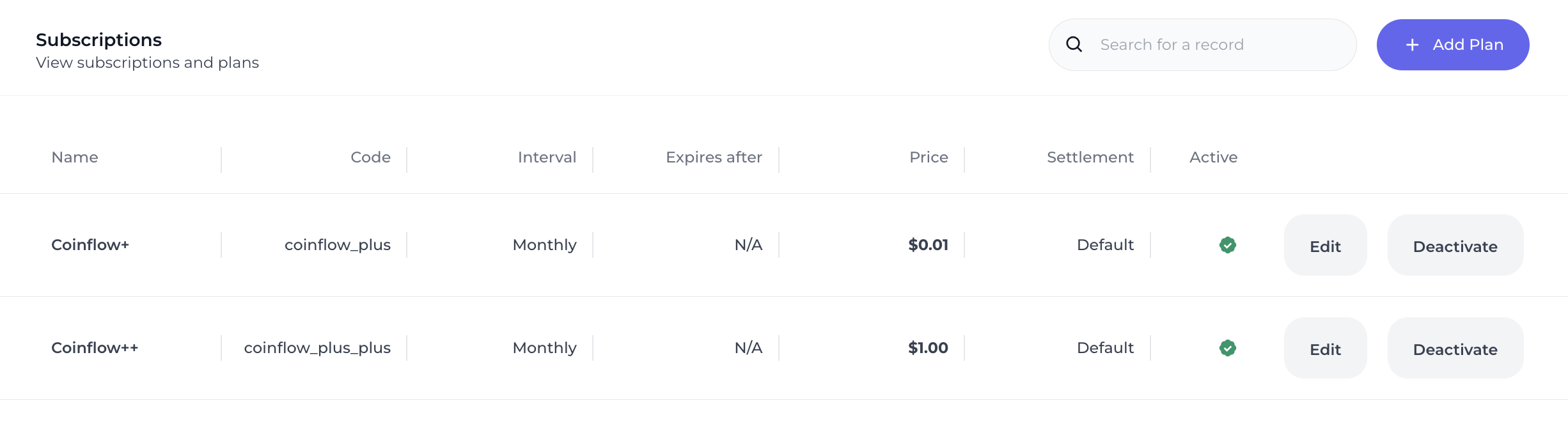
When you click on one of the plans, you can view all of the subscribers subscribed for that plan, all payments made for the subscription, and can manually cancel the subscription on behalf of the subscriber.
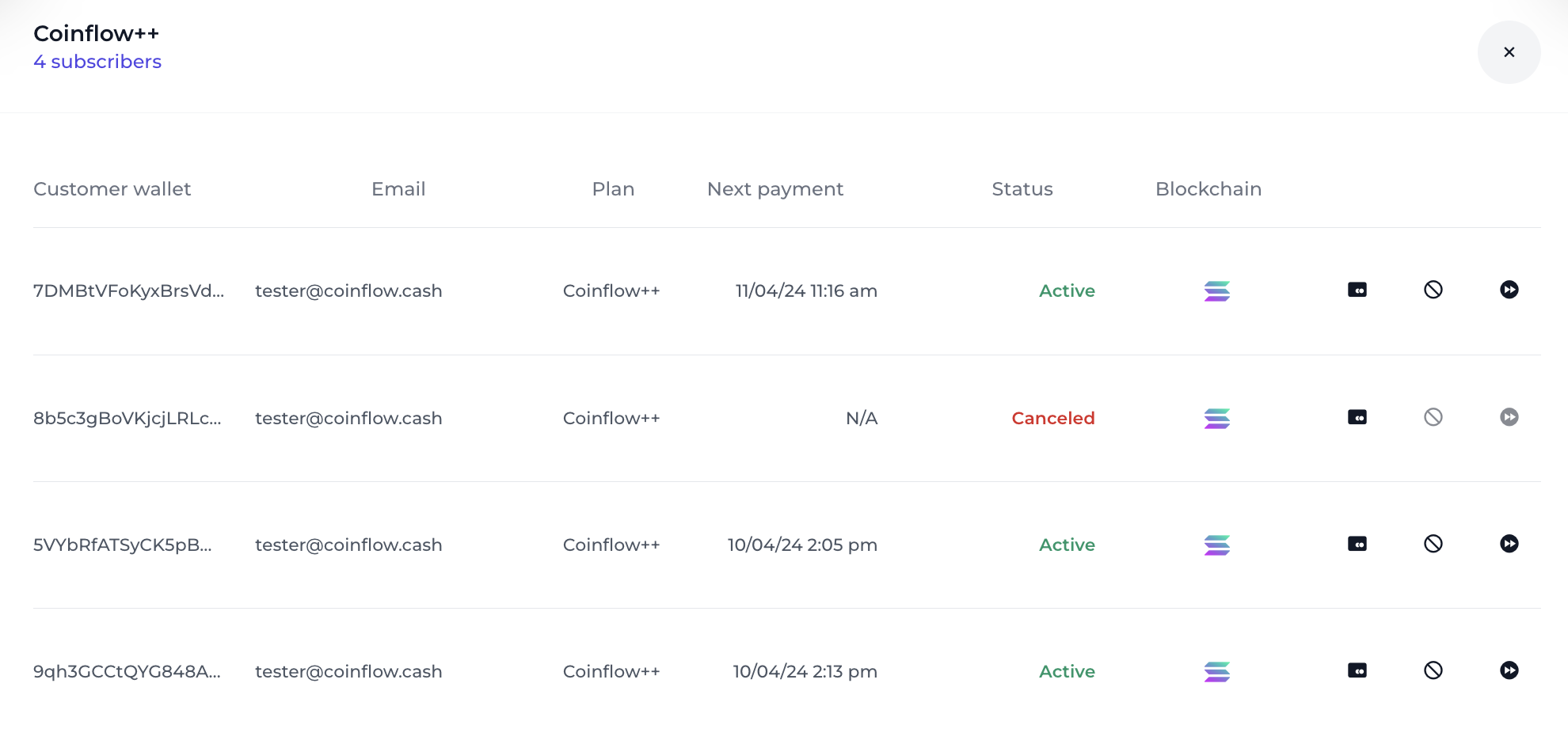
Each subscriber will have a status associated with their subscription state as described below:
Try Coinflow Subcriptions!
📘 Try Subscribing to a Subscription with a Credit Card or ACH!
Try making a card or ach purchase on our example app.
- Select Wallet > More Options > Burner Wallet.
- Enter Email address.
- Select your payment method.
- Paying by Card:
- Select a card from our suite of test credit cards.
- Pass any value for CVV and address.
- Paying by ACH:
- Connect to a test bank account via Plaid.
- Confirm your purchase.
Note: You won’t buy anything, but it is simple showcase of Coinflow’s pre-built UIs & credit card processing capabilities.

