How Payouts / Withdraws Work
How Payouts Work
The payout process follows these steps:
User Verification
All users must complete identity verification before their first payout:
Typically approved in under 10 seconds
Usually completes within 30 seconds
- 90% auto-approved within 30 seconds
- Manual review takes up to 24 hours (if needed)
What’s required: Country of residence, government-issued ID, and a selfie
Already have KYC data?
If you conduct KYC on your platform, you can pass user verification data directly to Coinflow via API. See the API reference for details.
Learn more: KYC Verification
Bank Account or Card Linking
Users link their payout destination:
For ACH, RTP, SEPA, or UK Faster Payments
For push-to-card instant payouts
Implementation: Depending on your chosen method, you may need to integrate bank authentication. Coinflow’s pre-built UI includes Plaid integration for seamless bank linking.
Learn more: Bank Authentication UI
Payout Speed Selection
Users choose their preferred payout speed based on urgency:
Funds arrive in seconds (RTP, push-to-card)
Within 24 business hours (same-day ACH)
2-3 business days (standard ACH)
Learn more: Understanding Payout Speeds
Flow of Funds Diagrams
User Self-Custodial Wallet Payout
In this flow, funds move directly from the user’s own crypto wallet to their bank account or card.
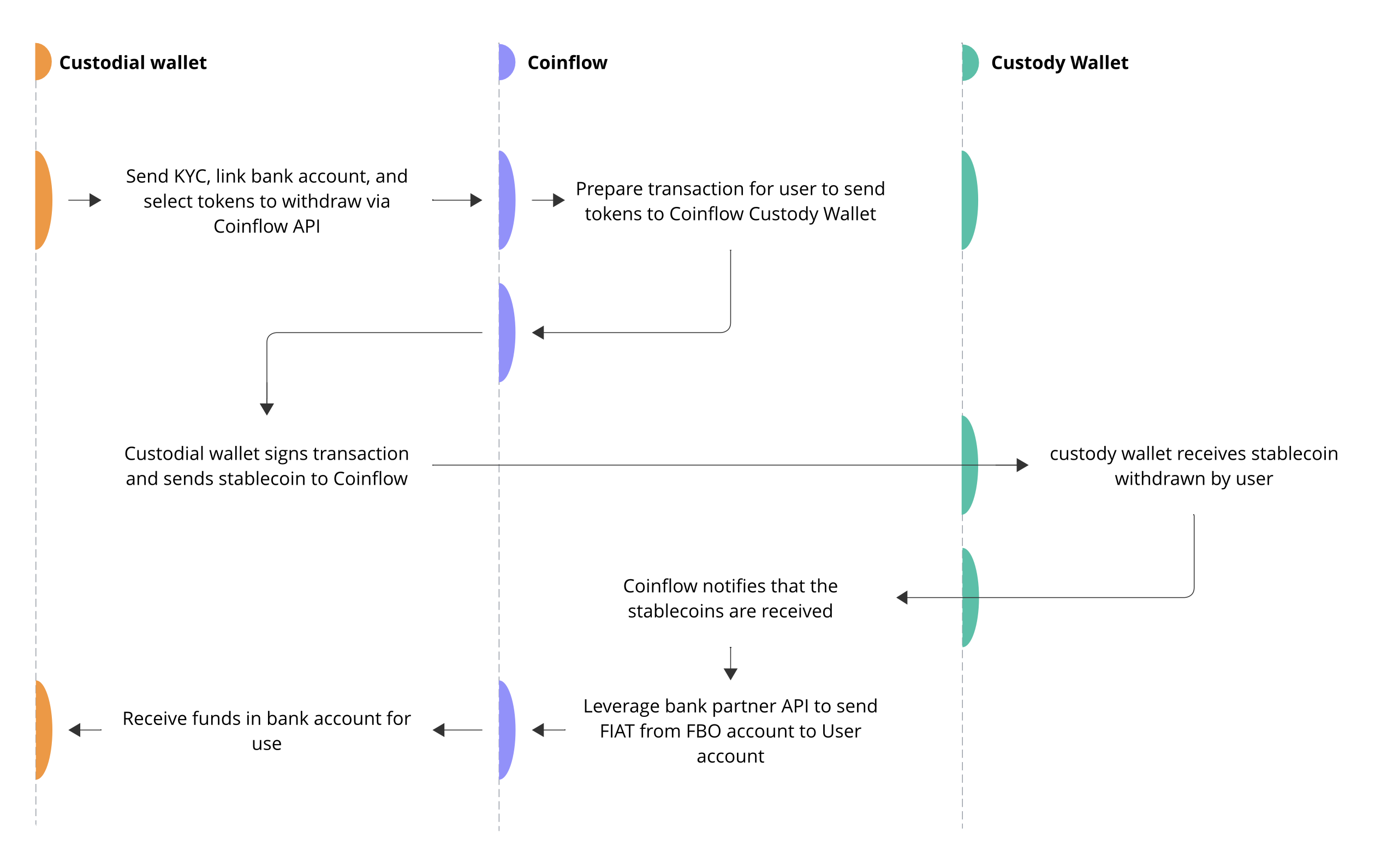
Best for: Platforms where users control their own crypto wallets (DeFi apps, Web3 games, NFT marketplaces)
Learn more about User Self-Custodial Wallet Payouts →
Merchant Wallet Payout
In this flow, you (the merchant) control the wallet and initiate payouts on behalf of users.
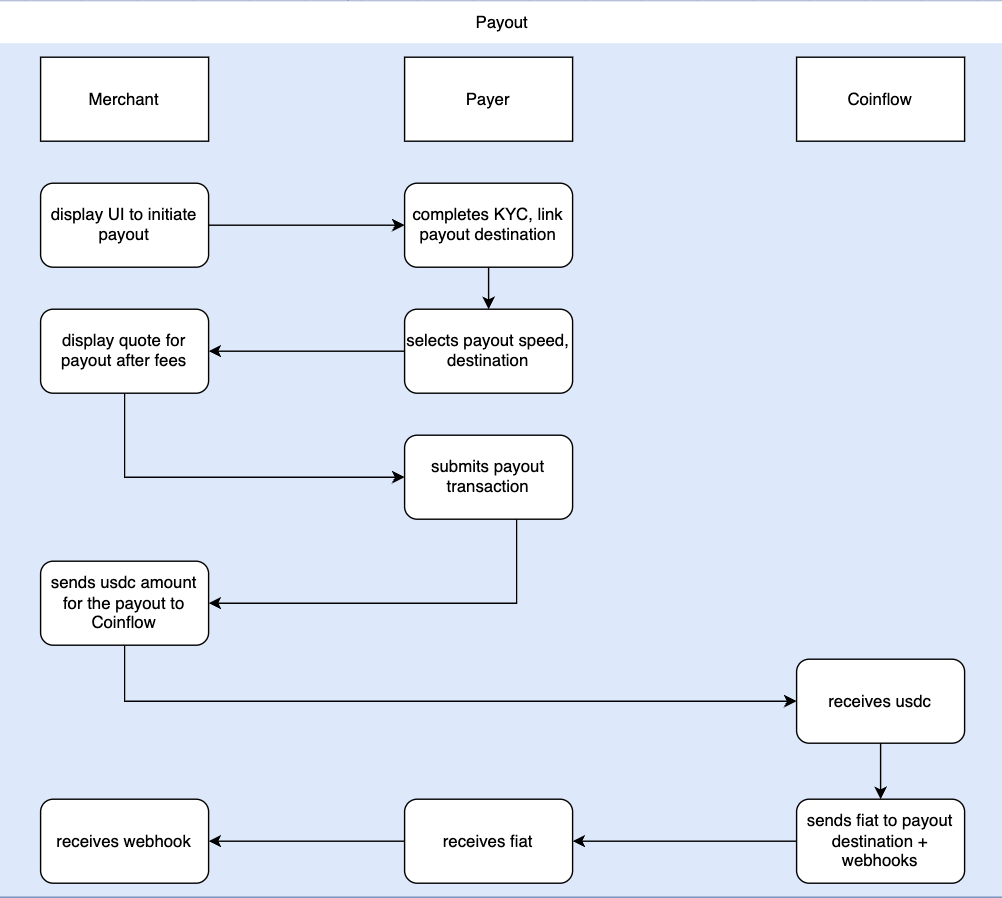
Best for: Gaming platforms, betting/sweepstakes, rewards programs, marketplaces where you manage user balances
Learn more about Merchant Wallet Payouts →
Try It Out
Try Withdrawing Funds on Sandbox
Test the full withdrawal flow on our example app.
- Link a wallet (or create a Burner Wallet: Select A Wallet > More Options > Burner Wallet)
- Copy the wallet address
- Send testnet USDC to your wallet address
- Return to the example app
- Complete the verification form
- Add a bank account or debit card
- Select your payout speed
- Withdraw your funds
Note: Our sandbox environment does not use any real money.

